Keep it in the moment.
Drop in a screenshot, document, link, image, or note without stopping to file it.
Give text, images, links, screenshots, PDFs, Word documents, files, and voice notes one private home across Mac, iPad, and iPhone. Your library syncs through iCloud, and OCR, search, transcription, and optional intelligence run on-device. Public-link reading is an optional connected service.
Available now for Mac, iPad, and iPhone




Copy · Built for reuse
Stuff finds the values buried inside what you save—on your device—and gives them a dedicated Copy home. Keep the important ones pinned, return to recent copies, or browse every value from the document it came from.
Copy puts a value on your clipboard for you to paste where you choose. It does not automatically fill external forms.
How Stuff works
Save immediately, let Stuff make sense of it privately on-device, then take the useful detail back through Copy.
Drop in a screenshot, document, link, image, or note without stopping to file it.
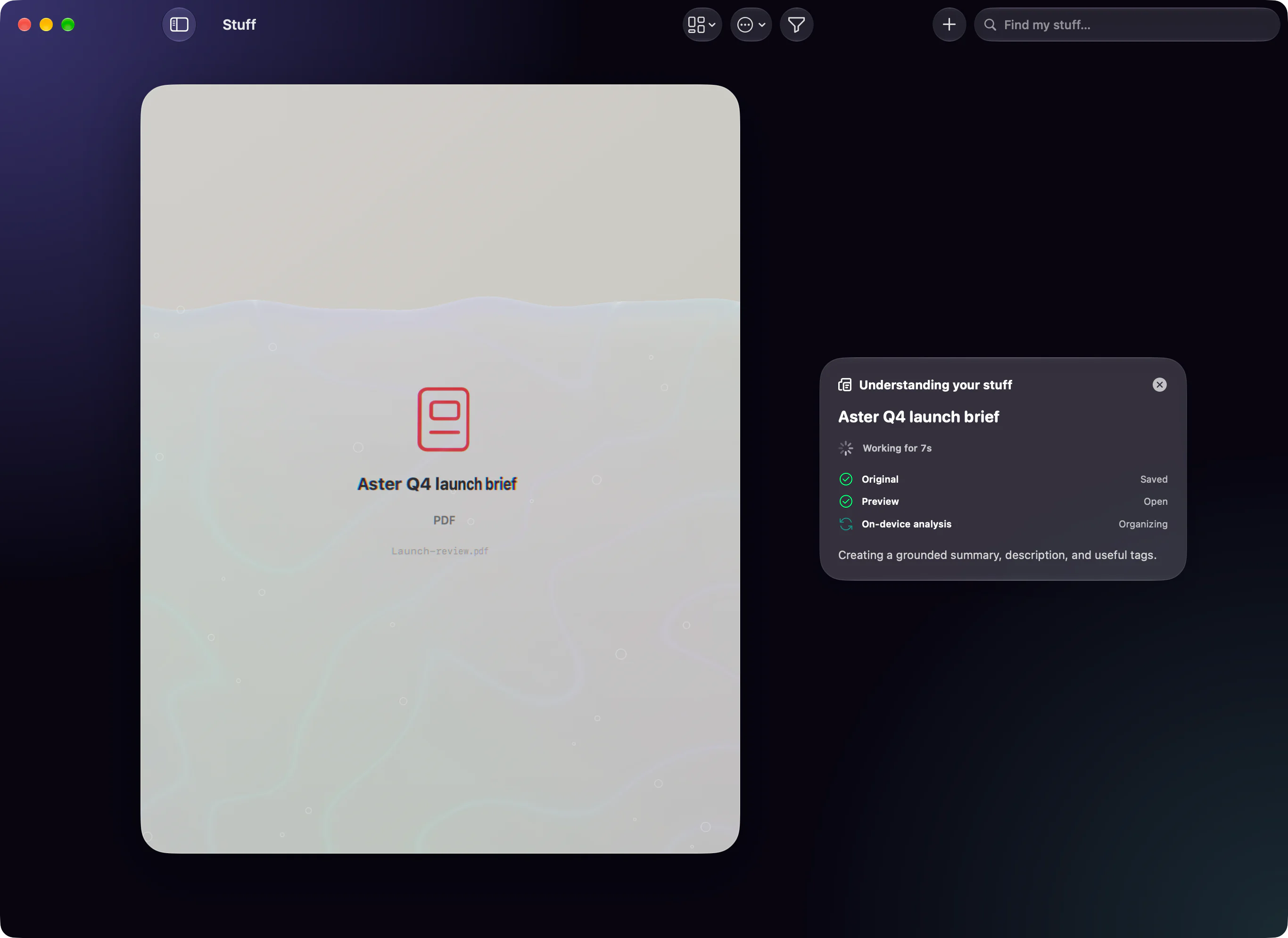
OCR, extraction, and intelligence continue on-device after the save is already safe.

Open Copy and reuse the email, address, phone number, date, link, or booking detail you need.
The problem Stuff solves
The hard part is not saving more. It is getting the right detail, reply, connection, or deck back into the next task.
The address is in an itinerary, the booking reference is in a PDF, and the phone number is inside a screenshot.
Folders only help when you remember where you filed something and what you called it.
A capture system fails when it asks you to classify everything before you can get on with your day.
Repeated messages still take work when every name, date, amount, and next step has to be replaced by hand.
A list can store research, plans, and references without showing how your own tags connect them.
Built for Shipaton 2026
We joined RevenueCat’s Shipaton 2026 Productivity Challenge because its public brief named a frustration we had already been thinking about: text snippets, images, files, and documents live everywhere, while the things people reuse most are still hard to retrieve.
We share the brief’s belief that productivity software for Apple devices should feel focused, thoughtfully designed, and quick enough to disappear into the work. Stuff is our answer: save without filing, understand locally, find by meaning, and reuse with one tap.
Read the official Productivity Challenge briefStuff is an independent Mobeera product built in response to the public Shipaton brief. This does not imply collaboration with or endorsement by the category’s associated creator.
Saving should not begin with choosing the perfect folder. Keep it first and organize only when it helps.
OCR, extraction, search, and optional local intelligence run on-device instead of sending your library to Mobeera.
The point is not a bigger archive. It is getting the right detail, reply, document, or presentation back into the next task.
A home for reusable things
Stuff includes native Markdown notes and reusable templates, but its purpose is the retrieval-and-reuse layer around the fragments and files you keep reaching for.
Quick Find
Find a saved item in Quick Find and take the next step from the result.

Spaces
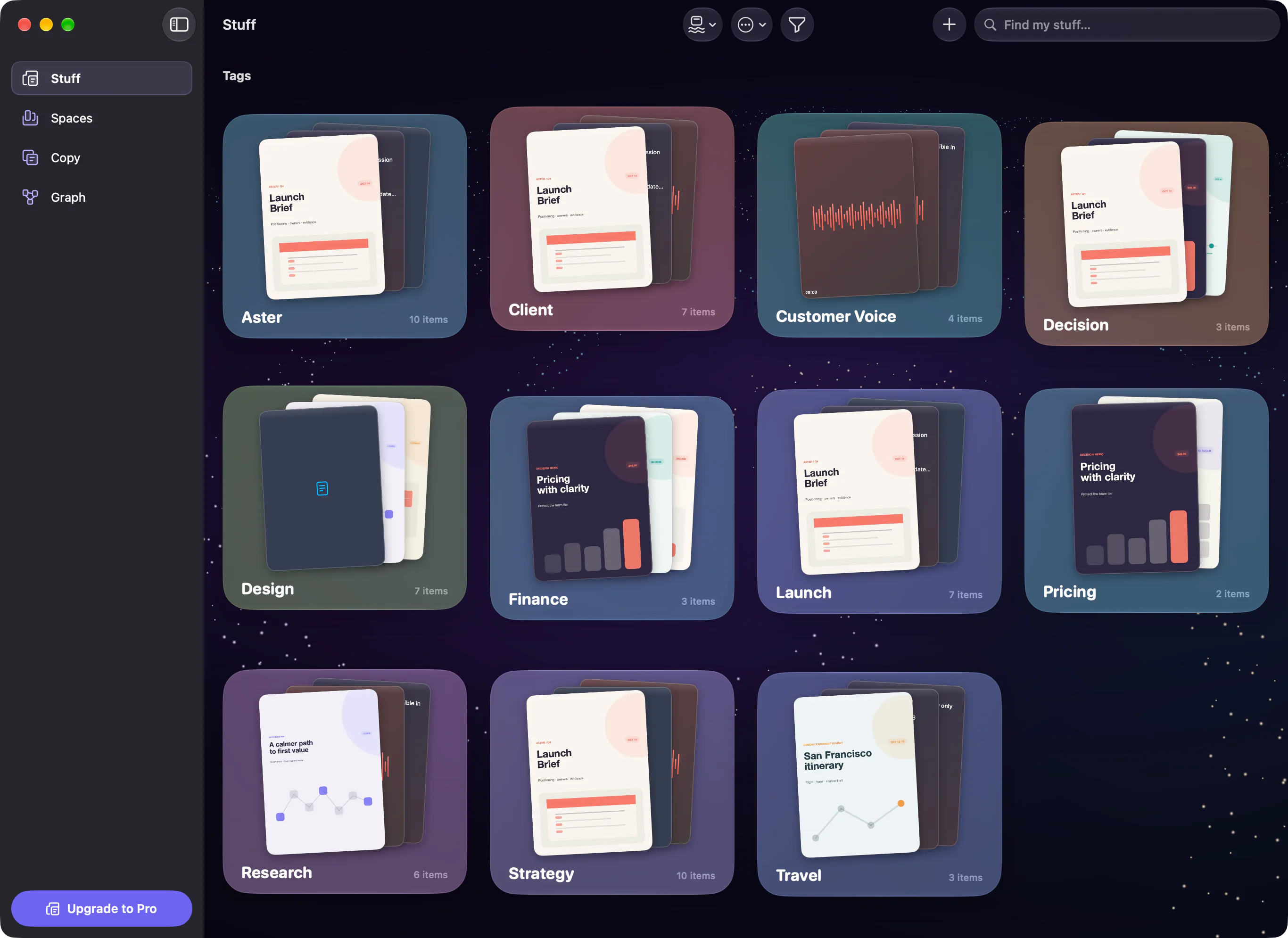
Give your projects a home in the Universe view, with previews that help you recognize what you saved.

Projects
Keep the brief, references, images, and notes for a project in one Space.

Capture
Stuff hands control back as soon as your item is safely saved. The Making Sense queue then prepares previews, reads evidence, runs local intelligence, and validates the result without holding up your flow.

Search
Ask naturally or search exactly. Stuff combines full-text results with on-device sentence search, explains why each result matched, and keeps literal search one tap away.

Templates
Write in Stuff’s native Markdown composer, add visual blanks, and decide what each answer accepts. When it is time to reuse the note, fill a focused form while the reply updates beside you.

Graph
Stuff maps documents through the tags you applied. It does not invent relationships: every line has a source you can inspect, focus, filter, and change.

Present
Present a saved PDF or turn the photos in a Space into a deck. Review the order, leave slides out, add presenter notes, and keep the audience view clean on an external iOS display.
Private and local by design
OCR, search, embeddings, transcripts, and optional local intelligence run on your device. Your library syncs through iCloud, while downloaded models, embeddings, search indexes, and model caches remain device-local.
When you enable public-link reading, Stuff sends the public page address to Mobeera’s reader service to make its text searchable. You can turn it off at any time. Read our privacy policy.
Simple packaging
One Space and every Stuff feature, including capture, search, sync, voice, templates, Copy, Graph, previews, and presentation. Includes up to 20 public-link reads per day.
Unlimited Spaces and up to 200 public-link reads per day for clients, projects, travel, research, and everything else.
Available now for Mac, iPad, and iPhone
Stuff 1.0.1 · Free download with optional Stuff Pro. Requires macOS 26, iPadOS 26, or iOS 26 or later.