How PDF became the standard for sharing fixed-layout documents
Learn what a PDF contains, why its pages travel reliably between devices, and how the format grew from a 1990s idea into an international standard.
Direct answer
Why did PDF become the standard format for sharing fixed-layout documents?
PDF became a sharing standard because it packages a page's text, graphics, fonts, images, and layout into a portable representation that can be rendered consistently on different systems. Adobe later released the specification for standardization, and ISO 32000 established PDF as an international document format with specialized standards for archiving and accessibility.
A PDF is a description of finished pages. It tells a reader where text, images, lines, colors, and interactive elements belong, so the document can be displayed and printed without the app that originally created it.
That fixed-page approach solved a problem that once made electronic document exchange unpredictable: the recipient might not have the same software, fonts, printer, or operating system as the author. PDF did not eliminate every compatibility issue, but it gave software a shared, device-independent description of the intended result.
What PDF means
PDF stands for Portable Document Format. Portable refers to the document travelling with the information needed to present it; it does not mean that every PDF is small, editable, accessible, or suitable for every task.
Unlike a word-processing file, a PDF usually does not ask the receiving app to reflow paragraphs and rebuild the page. It records a fixed layout. That makes PDF particularly useful for contracts, reports, invoices, manuals, forms, proofs, and other documents whose page arrangement matters.
What can be inside a PDF
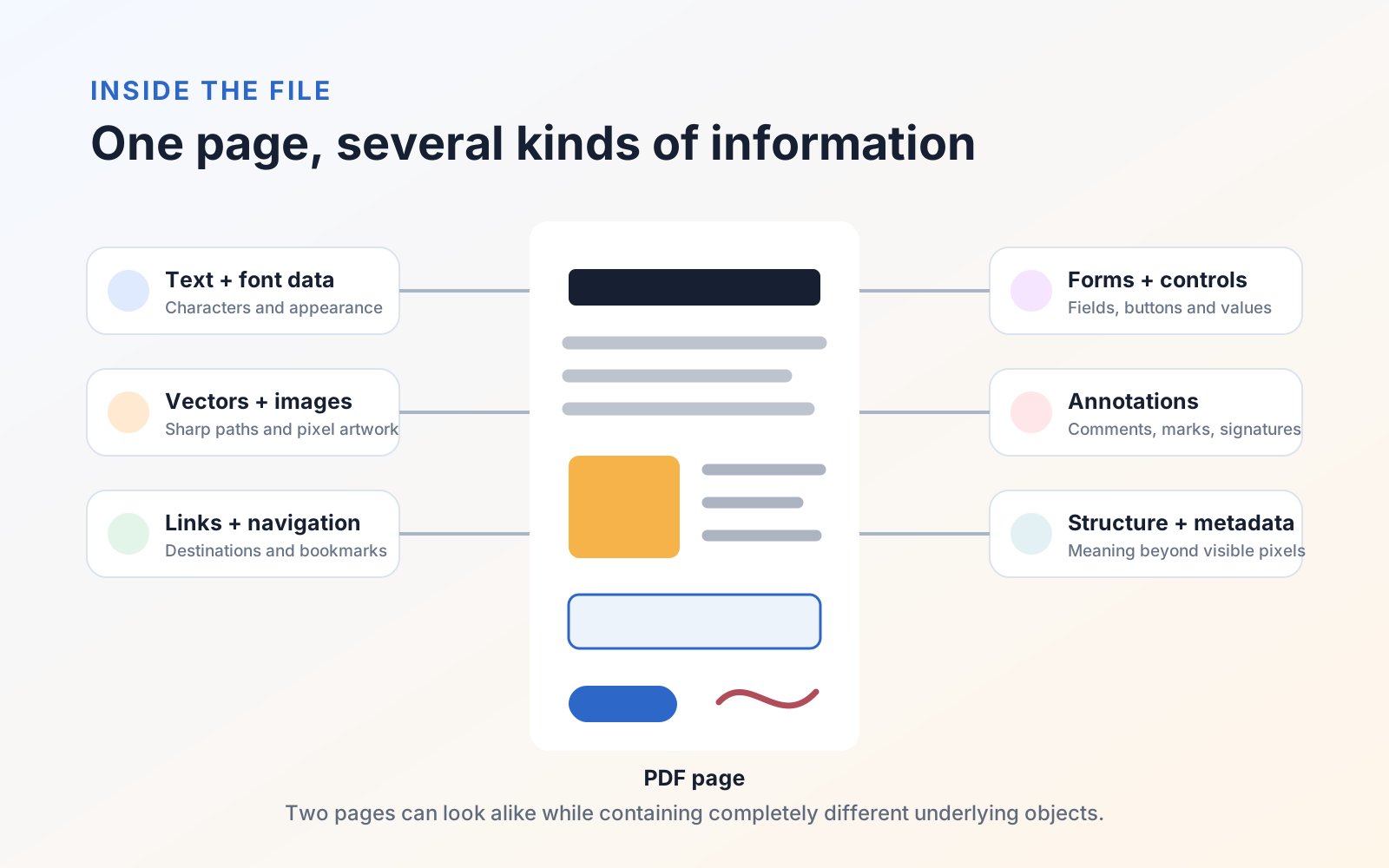
A PDF can contain much more than a flat picture of a page:
- Text: Characters positioned on the page, sometimes in short runs rather than flowing paragraphs.
- Fonts: Complete fonts or subsets that help another device reproduce the intended lettering.
- Vector graphics: Lines, curves, shapes, diagrams, and type that can remain sharp when enlarged.
- Raster images: Photographs, scans, and other pixel-based artwork, often stored with compression.
- Links and navigation: Web links, internal destinations, bookmarks, and a table of contents.
- Interactive objects: Form fields, buttons, comments, highlights, stamps, and signatures.
- Structure and metadata: Information such as headings, reading order, language, title, author, and document identifiers—when the creator includes it.
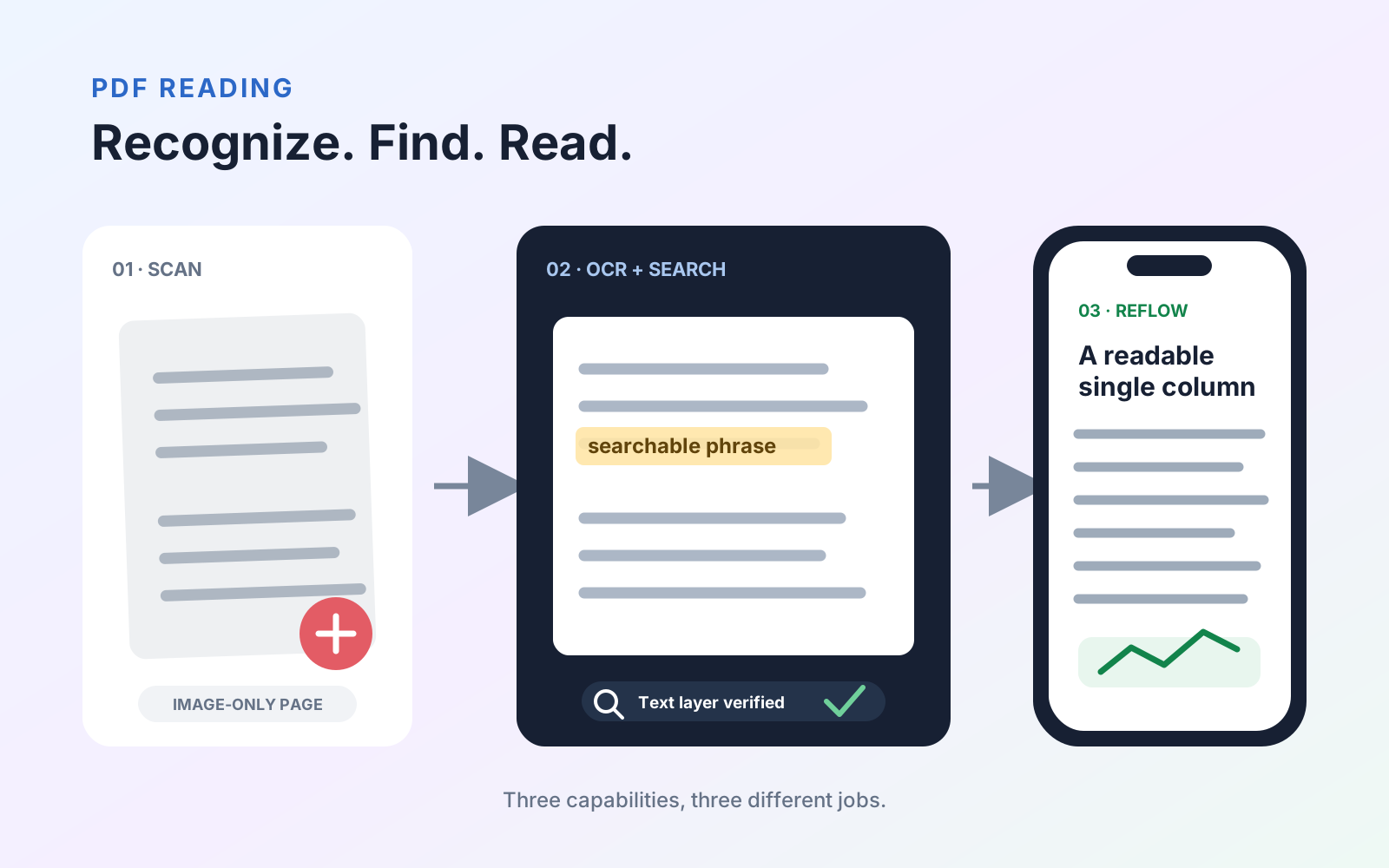
Two PDFs can therefore look similar while behaving very differently. One may contain selectable text and a logical reading order; another may be a page-sized photograph with no searchable words.
From a document-sharing idea to an open standard
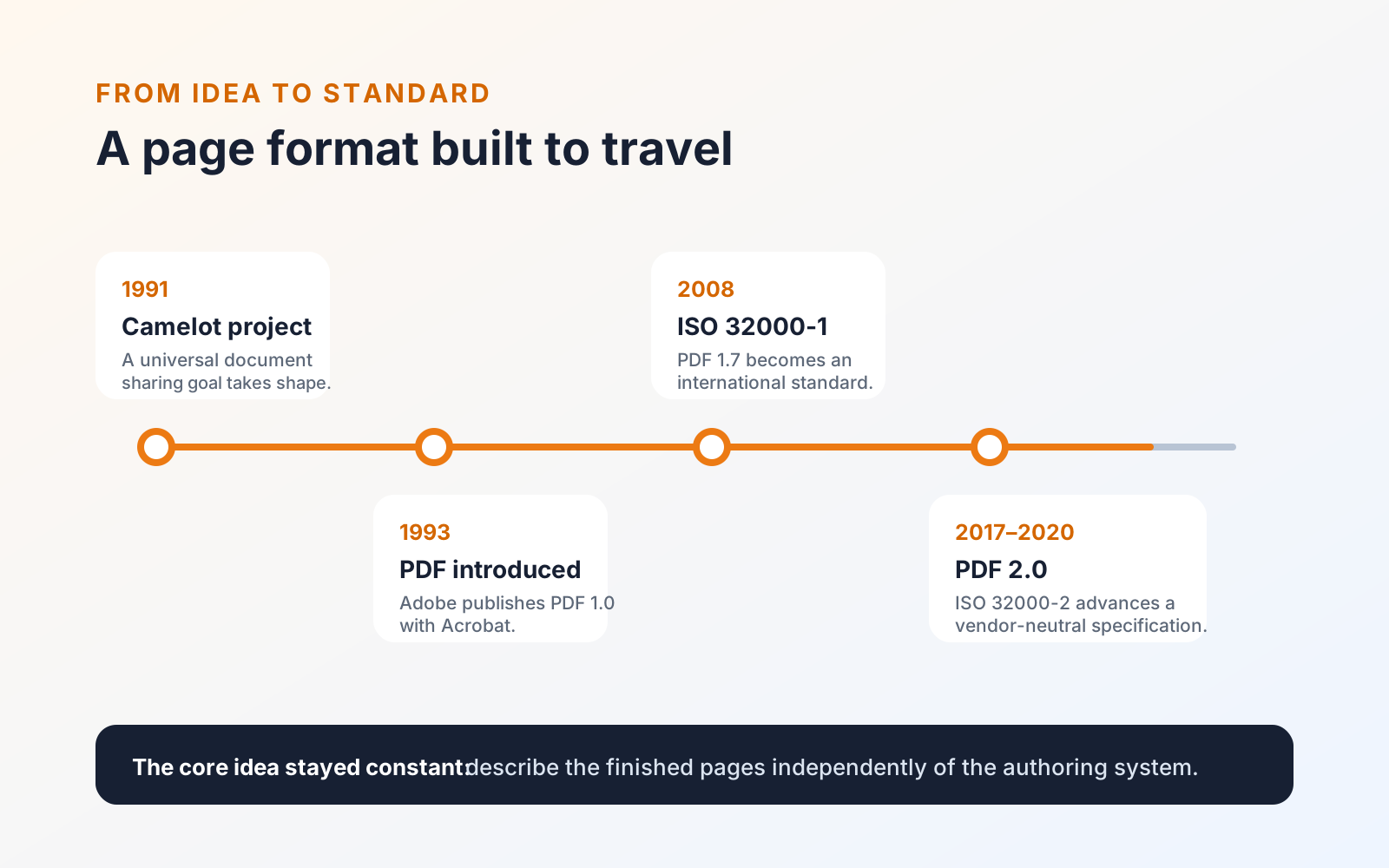
Adobe co-founder John Warnock described the underlying document-sharing problem in the Camelot project in 1991. Adobe introduced PDF and Acrobat in 1993, then published successive PDF specifications as the format gained forms, signatures, transparency, layers, richer color, and other capabilities.
In 2008, PDF 1.7 became the international standard ISO 32000-1. PDF 2.0 followed as ISO 32000-2, moving the core specification into a vendor-neutral standards process while retaining the format's established page model.
Why the format became so widely used
PDF combines several useful properties:
- The recipient does not need the original authoring application.
- Page dimensions and object positions are preserved rather than recalculated as a new document.
- Text, vector artwork, scans, forms, comments, and signatures can travel in one file.
- The format supports printing, search, security, accessibility, and long-term preservation workflows.
- PDF readers exist across desktop, mobile, browser, and specialist systems.
The careful wording is preserved, not guaranteed identical. Missing or malformed resources, unsupported features, damaged files, color-management differences, and reader bugs can still change the result. Important documents should always be reopened and checked in the form that recipients will receive.
PDF, PDF/A, and PDF/UA are not interchangeable
Ordinary PDF is a broad format. Standards built on top of it add requirements for particular purposes:
- PDF/A restricts and requires features to support dependable long-term preservation. A normal
.pdfextension does not prove that a file conforms to PDF/A. - PDF/UA defines how PDF features such as tags, reading order, semantics, and alternative descriptions are used to support accessibility. Selectable or OCR-recognized text alone does not make a document PDF/UA-conforming.
Conformance must be created deliberately and validated with appropriate tools. Exporting any document as PDF does not automatically make it archival or accessible.
Where PDF is strong—and where it is not
PDF is strongest when the page is ready to distribute, review, sign, print, or preserve. Its fixed layout is less convenient while several people are still rewriting paragraphs, recalculating a spreadsheet, or rearranging a presentation.
It can also be difficult to edit when the source application has converted text to outlines, embedded only part of a font, divided a paragraph into positioned fragments, or stored the entire page as an image. Those are consequences of how a particular file was created, not evidence that every PDF is inherently uneditable.
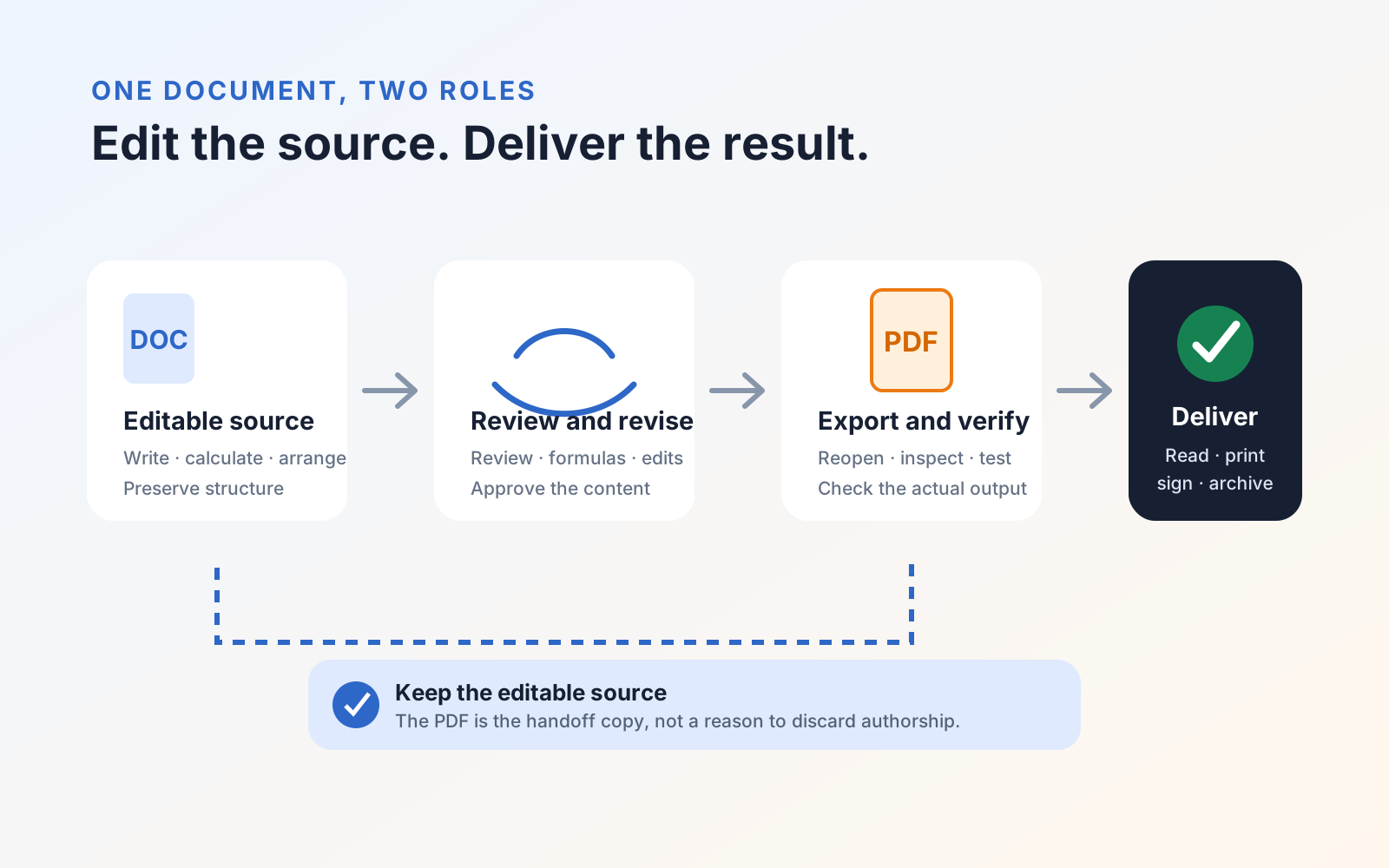
The practical rule is simple: keep the editable source while a document is changing, then create and verify a PDF for the stage where presentation and exchange matter most. The companion guide to choosing between PDF and an Office file turns that distinction into a repeatable handoff workflow.
If a finished PDF still needs a correction, form work, OCR, or review, the current tools are described on the PDF Max product page.