PDF Max for Android is coming soon to Google Play
PDF Max is coming to Android 11 and later with editing, OCR, Reflow, Voice Notes, Read Aloud, Focus, Present, forms, signing, and PDF tools.

Direct answer
When is PDF Max coming to Android?
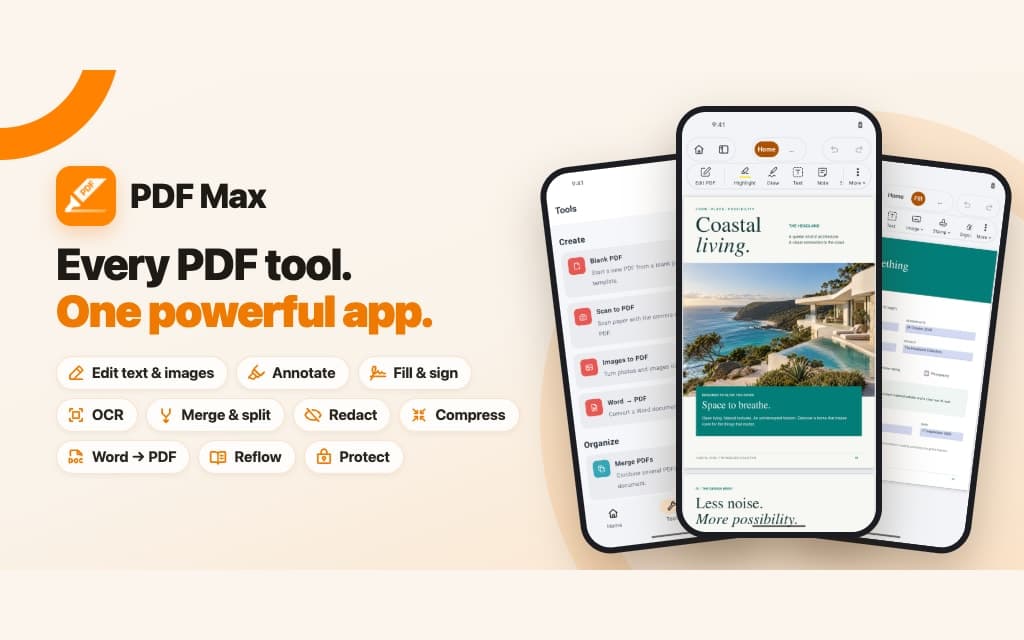
PDF Max for Android is in active release preparation for Google Play, with no public launch date or store listing yet. The first release targets Android 11 or later and already includes reading, annotation, editing, forms, OCR, scanning, Reflow, translation, Voice Notes, Read Aloud, Focus, Present, page tools, conversion, redaction, protection, saving, sharing, and printing on supported devices.
PDF Max is expanding to Android. The app is now beyond its original viewing-and-annotation milestone: the current build opens and edits real documents, runs the core PDF workflows, and produces a release bundle. Work is now focused on the store, device, billing, policy, and release checks that have to be finished before a public listing can be trusted.
There is no public launch date yet. Google Play is the planned destination and will remain marked Coming soon until its listing is ready.
A complete PDF workflow on Android
The first Android release is designed to move from opening a document to delivering the finished file without handing each step to another app.
| Capability | What it means |
|---|---|
| Read and understand | Search and bookmark pages, resume where you stopped, use Reflow Reader, translate while reading, hear text with Read Aloud, or use Focus to show only marked passages. |
| Annotate and review | Highlight, draw, comment, resolve discussions, add links, and record Voice Notes with on-device transcription on supported devices. |
| Edit, fill, and sign | Edit page text and images, insert content, complete existing forms, author form fields, add Fill & Sign marks, and manage reusable signatures. |
| Create and recognize | Scan paper, turn images into a PDF, recognize searchable text, convert Word documents, and add stock images when a network-backed provider is configured. |
| Organize and optimize | Insert, reorder, rotate, duplicate, extract, merge, number, resize, and compress pages while keeping document output available for verification. |
| Protect and deliver | Apply permanent redactions, set or remove an open password, save a new copy, share, print, or present the document—including a presenter view when the device exposes a second display. |
These are implemented workflows, not a list copied from another platform. Android uses the same document engine as PDF Max elsewhere, with an Android host responsible for the system file picker, camera, speech, display, sharing, printing, and store services.
Android-native reading and capture
Reflow Reader turns fixed pages into a continuous reading view that can include figures. Read Aloud uses voices installed on the device and follows the spoken text. Focus can fold a long document down to highlighted passages, then create a separate focused output when the plan allows it.
For paper documents, Scan to PDF uses Android's document-scanning flow. Recognize Text can add a searchable text layer while preserving the page image and vector content. Translation and supported image tools use Android platform services where appropriate.
What will not be in the first Android release
The first release will not include every PDF Max workspace feature. The following areas remain outside its initial scope:
- Research Workspace, source-linked Cards, Compare Sources, and Study
- Form Assist and reusable answer profiles
- Automatic Detect Fields
- Equation recognition for Reflow
- Table contextual editing tabs
The absence of those areas does not reduce the document editor to a reader. Editing, form authoring, scanning, OCR, conversion, page operations, presentation, redaction, and output are already part of the Android build.
What “coming soon” means
Coming soon means the product is being prepared for release, not that a date has been reserved. Before the badge becomes a store link, the release still has to complete store configuration, signing and billing setup, policy declarations, device qualification, and listing review.
PDF Max targets Android 11 or later. Final compatibility will also depend on the device architecture, available system services, and the store's supported-device catalog. The public listings will carry the authoritative compatibility details when they are live.
How availability will be announced
The PDF Max product page now shows a clickable Google Play coming-soon badge that opens this status page. It does not imply that registration or installation is available yet.
When a verified listing or pre-registration page exists, the badge will become an official store link. Until then, this post and the product page are the release-status record: no placeholder URL, no unsupported date, and no claim that Google Play has approved a build before it has.
The Android robot is reproduced from work created and shared by Google and used according to terms described in the Creative Commons 3.0 Attribution License. Android is a trademark of Google LLC.