WordPilot for Android is here
WordPilot is now on Google Play. Edit Word documents, review with Dr. Proof, and use private, on-device AI on your Android phone or tablet.
Direct answer
Is WordPilot available for Android?
Yes. WordPilot is now available on Google Play for Android phones and tablets. WordPilot Pro unlocks DOCX editing, professional templates, PDF export, comments, Track Changes, AI writing tools, and Dr. Proof document review. Android AI runs locally using Gemma models, with a one-time download of about 2.5 GB and sufficient device memory required.
WordPilot is now available on Android phones and tablets. Bring a report, a proposal, or a letter into one editor to work on the writing, review the details, and prepare the finished document for sharing.
WordPilot combines familiar Word document tools with private AI assistance and Dr. Proof, our whole-document review tool. You can move from a rough draft to a reviewed document without copying passages into a separate chat app. Editing and these premium tools are available with an optional WordPilot Pro subscription.
Get WordPilot on Google Play, or explore what you can do below.
Create and edit real Word documents
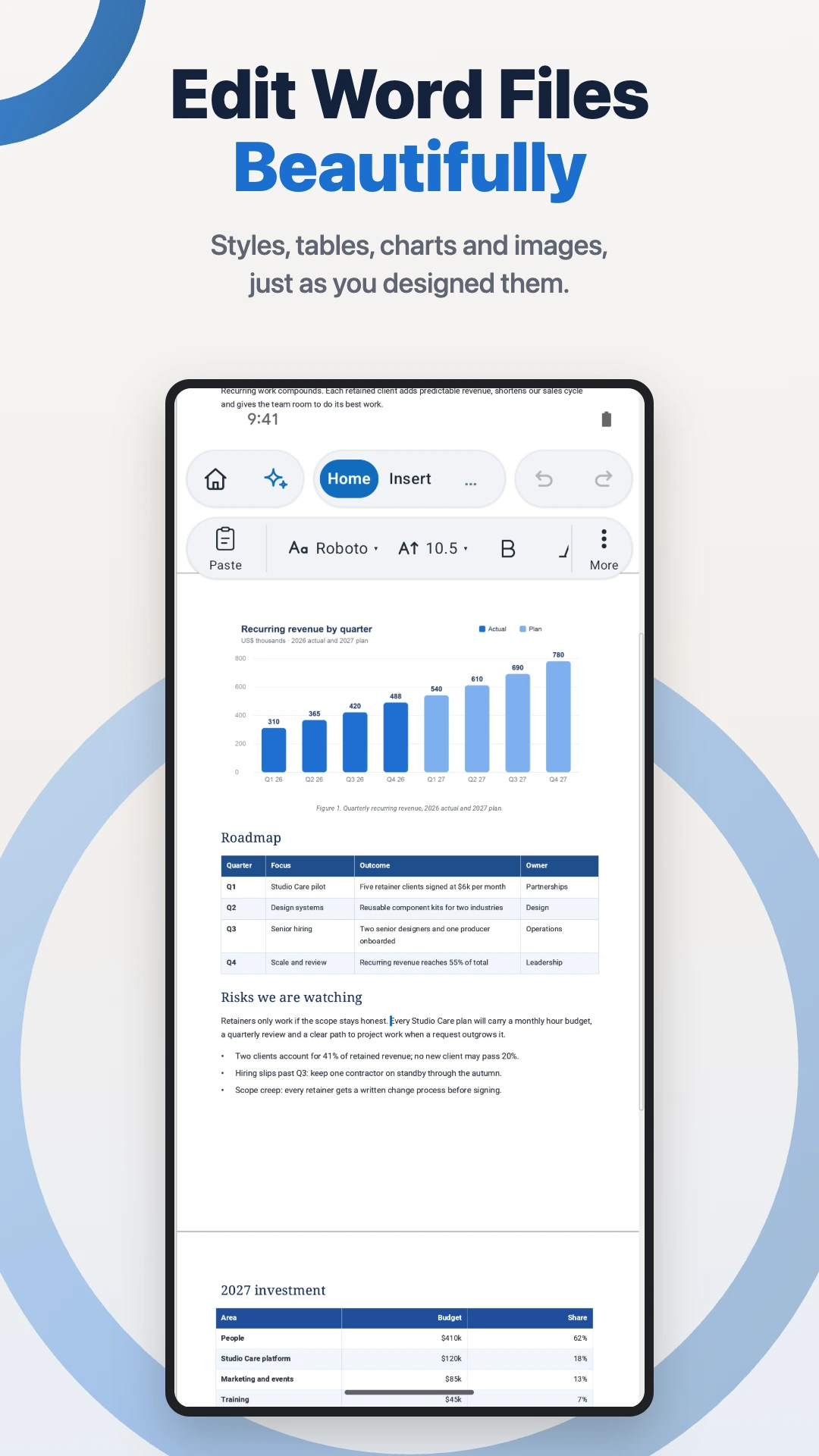
Open a DOCX file and work with its text, headings, tables, and images. The familiar ribbon brings formatting tools together so you can adjust a paragraph, apply a style, or add headers and footers as the document takes shape.
That might mean polishing your resume on a phone before sending it, or spending more time on a business proposal with a tablet. The document stays at the centre of the work, with tools for both the words and their presentation.
When a blank page feels like the slowest part, start with a professional template. WordPilot includes starting points for resumes, invoices, business letters, reports, agreements, quotes, proposals, and meeting notes. Replace the example details, adapt the structure, and make the document your own.
Review the details with Dr. Proof
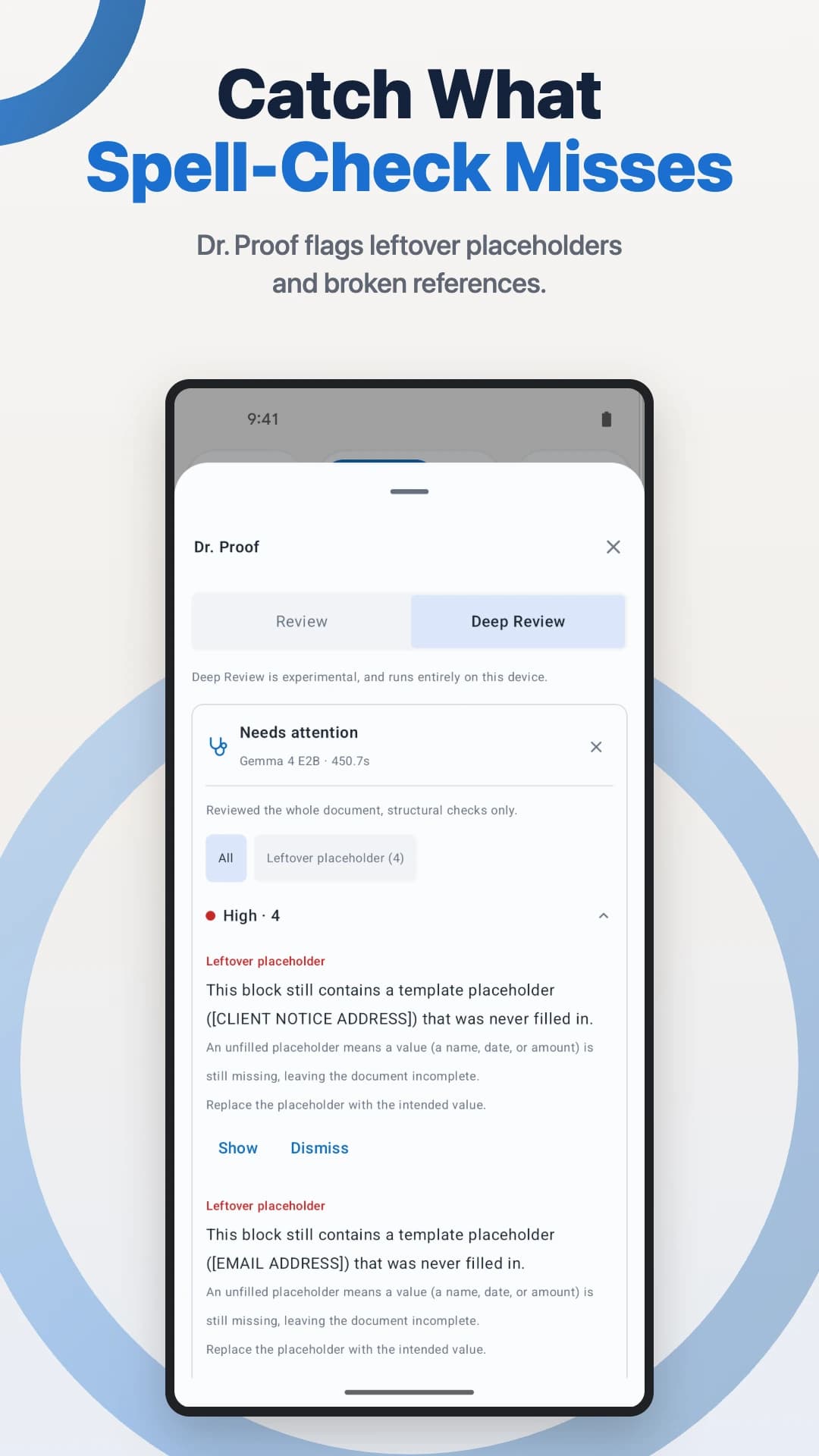
A document can read smoothly and still contain a number that does not match, an old name, or a placeholder left from the first draft. Those are the kinds of details Dr. Proof helps you review.
Dr. Proof looks across the document for inconsistent names and figures, suspicious dates, leftover placeholders, and broken references. It also helps identify grammar problems and unclear wording, bringing another perspective to the draft before you share it.
For example, a proposal may mention a different figure in its introduction from the one in its later summary. A reused letter may still contain a drafting placeholder. Reviewing these details alongside the writing gives you a more useful final pass than checking spelling alone. Read each finding in context and decide which changes belong in your document.
Get writing help that stays on your device
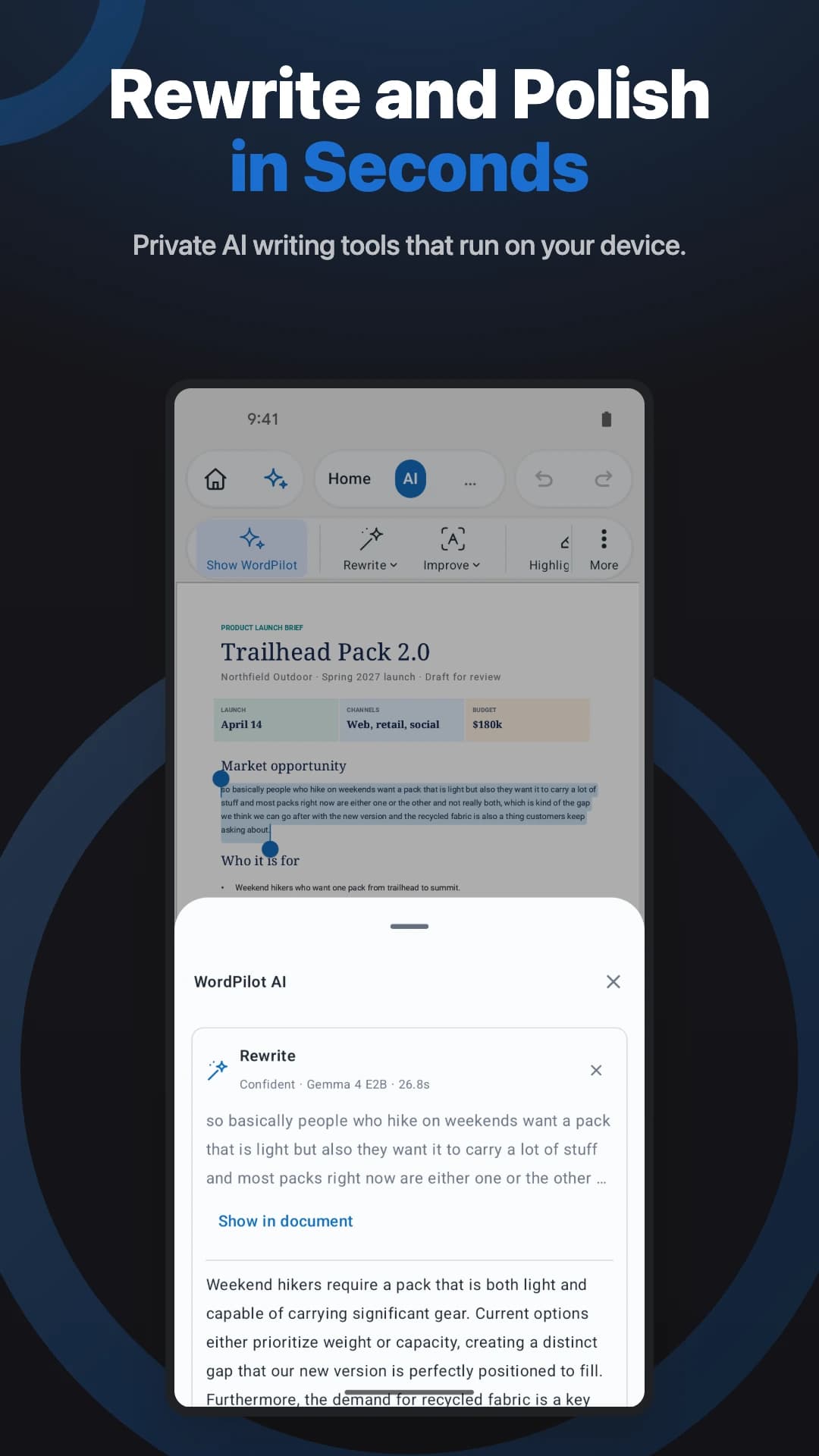
Select a passage to rewrite it, improve its clarity, change its tone, summarize it, or translate it. Use the tools to turn rough meeting notes into a clearer paragraph or make a business letter easier to follow, while keeping the surrounding document close at hand.
On Android, WordPilot's AI runs on your device using Google's Gemma models. Your document text is not sent to the cloud for AI processing.
Getting started with AI requires a one-time model download of about 2.5 GB, and your device needs enough memory to run the model. Allow space for that download when setting up the writing tools. Review generated text before accepting it, especially names, amounts, dates, and any wording where precision matters.
Finish the review and share a PDF
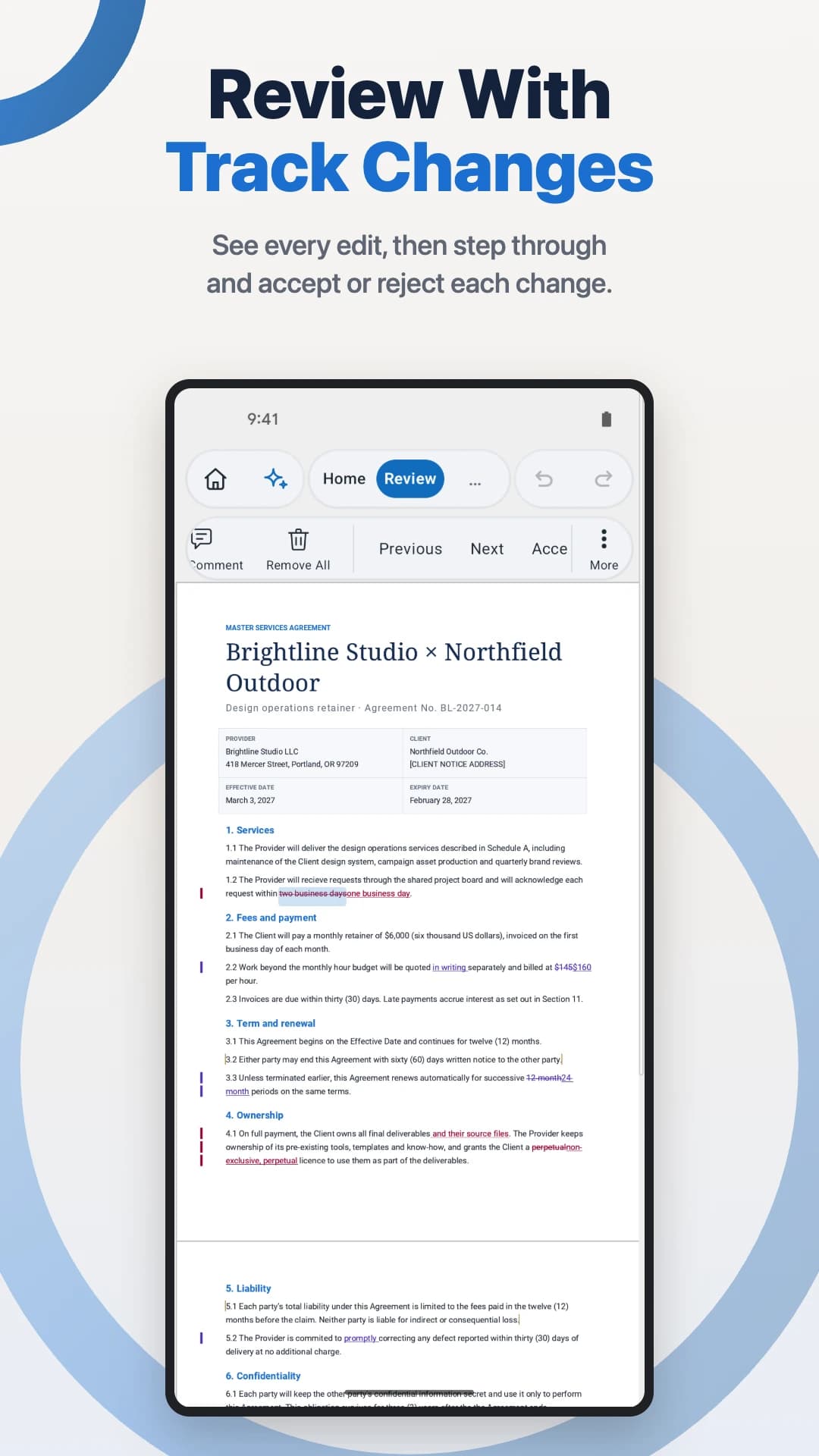
Use comments to leave feedback where it belongs in the document. With Track Changes, work through revisions and accept or reject each change as you prepare the final draft.
These tools keep the review connected to the writing. A comment can explain why a paragraph needs attention; a tracked revision lets you assess the proposed wording before deciding to keep it.
When the document is ready, export it to PDF for sharing, printing, signing, or archiving. Check the finished copy as your final step, so the file you send reflects the work you intended to deliver.
Get started with WordPilot Pro
WordPilot Pro is an optional subscription that unlocks editing, PDF export, professional templates, AI writing tools, Dr. Proof review, comments, and Track Changes. Available plans, local prices, and any eligible free trial are shown before purchase. You can manage or cancel your subscription through Google Play.
Start with a document you already need to finish. Open the draft, review the details, and bring it through to a version you are ready to share.