Mobeera Office 27.2.2: Interactive Slides and free editing
Mobeera Office 27.2.2 for Mac, iPhone and iPad adds Interactive Slides, free editing for two pages, and faster Docs, Sheets and Slides workflows.
Direct answer
What’s new in Mobeera Office 27.2.2 for Mac, iPhone and iPad?
Mobeera Office 27.2.2 introduces Interactive Slides that play a live web page during your presentation. The free plan now lets you edit the first two pages of documents and PDFs, the first two slides of presentations, and the first 50 spreadsheet rows. The update also improves editing performance and brings AI Chat beside your spreadsheet on iPad.
Mobeera Office 27.2.2 is here for Mac, iPhone and iPad. This update introduces Interactive Slides, makes the first two pages free to edit, and improves performance across Docs, Sheets and Slides.
Turn a presentation into something your audience can explore: a dashboard with filters, a calculator with changing inputs, or a quiz you work through together. And if you just need to finish a short document, you can now edit it and save it as a PDF for free.
Introducing Interactive Slides
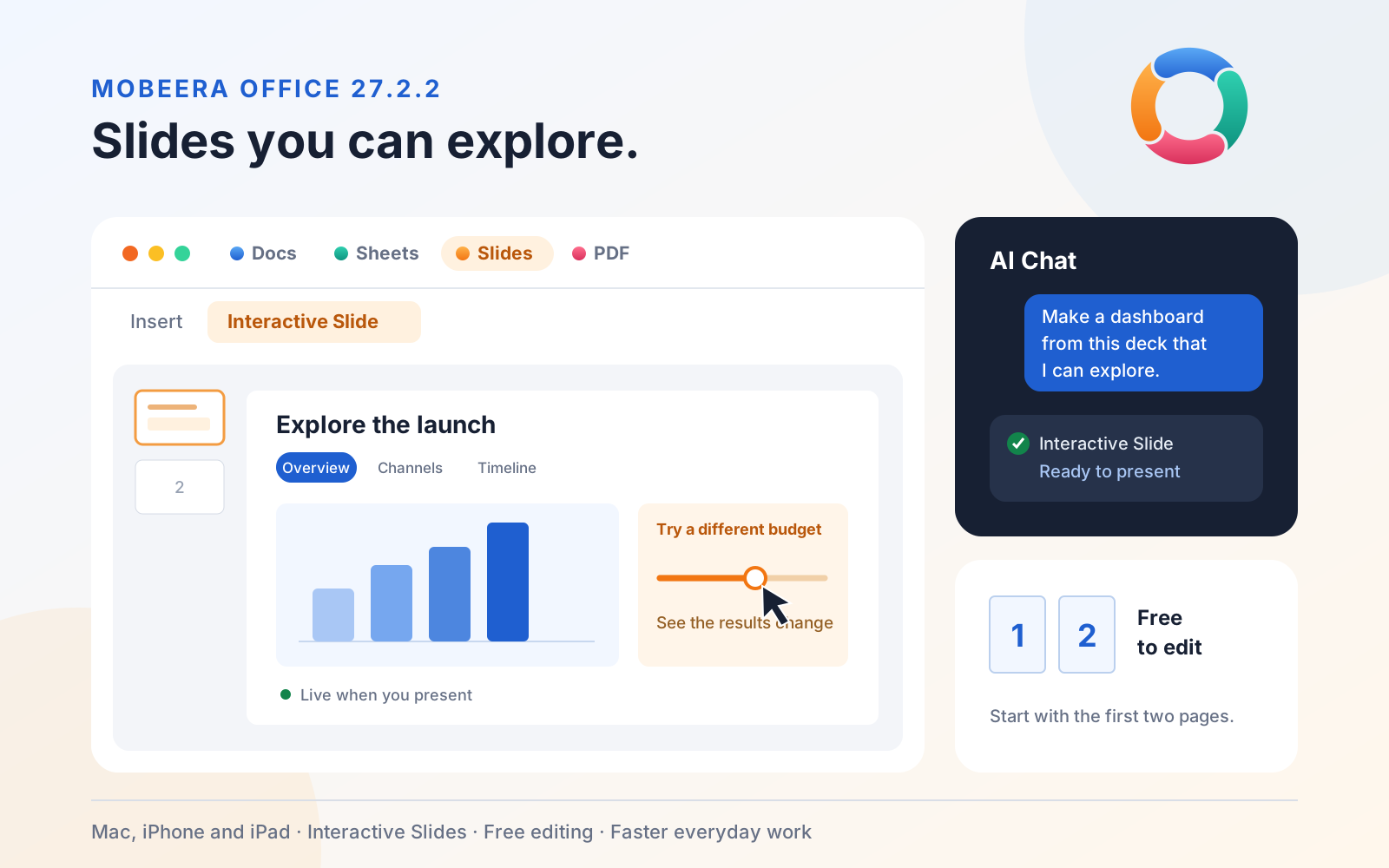
An Interactive Slide plays a live web page inside your slide show. You can click through information, change inputs and explore results while you present.
Choose Insert > Interactive Slide, pick a style from the gallery, or ask AI Chat to build one. AI Chat uses the content of your presentation to create the interactive page.
The gallery gives you a starting point for different kinds of talks:
- Dashboards and comparisons: explore figures, switch between views or compare options side by side.
- Timelines and processes: reveal dates, milestones or steps as you walk through them.
- Calculators: adjust inputs and see the results change during the discussion.
- Quizzes and flashcards: check understanding or turn a lesson into a practice session.
- Summaries, FAQs and checklists: open supporting detail or work through next steps with your audience.
You can also choose Custom and describe what you want. For example: “Add an interactive calculator using the budget figures in this deck, with inputs I can change while presenting.”
AI Chat uses your chosen AI provider and API key. See how Mobeera Office works with your AI.
Edit the first two pages for free
You can now do useful work in Mobeera Office before buying Pro. The free plan gives you an editable starting portion of each file, while the rest stays available to read.
| Editor | What you can edit for free |
|---|---|
| Docs | The first two pages of a document |
| The first two pages of a PDF, using the PDF editing tools | |
| Slides | The first two slides of a presentation |
| Sheets | The first 50 rows of the first sheet in a workbook |
For PDFs, that means working with tools such as annotations and form filling; it does not mean rewriting the text already printed on a PDF page.
Free PDF export is included for a document of up to two pages or a presentation of up to two slides. Finish a short letter, a meeting agenda or a two-slide update, then save it as a PDF to share.
Longer files still open for reading. Mobeera Office Pro unlocks editing beyond the free limits. See Mobeera Office plans.
Faster Docs, Sheets and Slides
This release improves the everyday actions that keep you moving through a file:
- Docs: smoother scrolling, zooming and typing, plus improvements to opening documents and copying and pasting content.
- Sheets: faster fill-down, large pastes, sorting and undo operations.
- Slides: faster opening of large decks and faster copying, pasting and undoing groups of slides.
PDF editing also benefits, including highlighting long passages and typing alongside ink annotations. The improvement depends on the file and the action, so a short letter and a large presentation will feel different.
Easier to find your place
Docs, Sheets, Slides and PDF now each have their own colour, making it easier to recognise the editor you are using.
On iPad, AI Chat opens beside your spreadsheet, so you can keep the sheet in view while discussing it. If the system closes the editor while the app is in the background, Mobeera Office reopens your document where you left off.
Get Mobeera Office 27.2.2
Update Mobeera Office from the App Store, open a file and try the free editing allowance. To explore Interactive Slides, open a presentation and choose Insert > Interactive Slide.