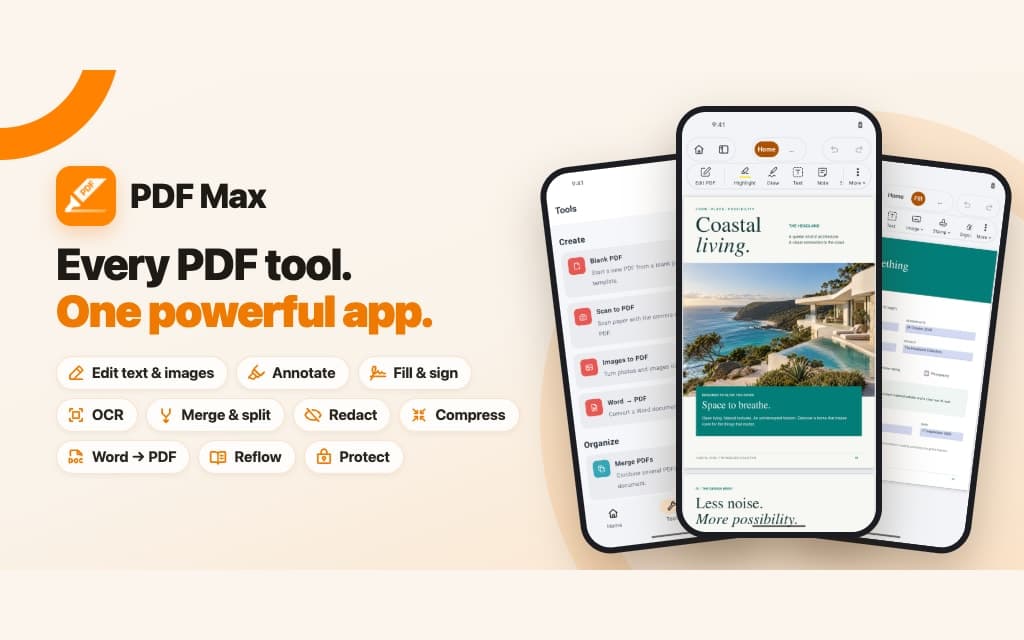
PDF Max 27.1 adds source-linked Research Workspaces and Study, Voice Notes with searchable transcripts, Scan to PDF, automatic form-field detection, presentation, and new ways to compare evidence. It also adds Compress PDF, Page Resize, Page Numbers and Bates numbering, password tools, editable outlines, images in Reflow Reader, Focus View output, alignment guides, ribbon comments, Workspace search and tags, and faster document opening across supported Apple devices.
Highlights
- Research with source-linked Workspaces
- Create source-linked Questions and use scheduled Study or unscheduled Practice
- Record Voice Notes with searchable transcripts
- Scan paper into a cleaned PDF
- Detect fields in flat or printed forms
- Compress, resize, number, protect, and present PDFs
Everything added in 27.1
- Source-linked Workspaces, Cards, Markup & Clip, tags, search, layouts, Frames, source return, and document export.
- Compare Sources, Outline and Evidence projections, Triage, and Related Cards for research synthesis.
- Source-linked Questions, text and visual occlusion, scheduled Study, unscheduled Practice, Progress, presets, and schedule controls.
- Voice Notes with page placement, playback, and searchable on-device transcripts.
- Scan to PDF with automatic capture, page review, cleanup, reordering, and optional searchable text.
- Images to PDF with per-page crop, rotation, filters, sizing, and optional searchable text.
- Detect Fields and Form Assist for reviewing fillable fields and proposed answers.
- Images in Reflow Reader, Focus View context controls, and compact Focus View PDF output.
- Compress PDF, Page Resize, Page Numbers and Bates numbering, Set Password, and editable PDF outlines.
- Full-screen PDF and Workspace-frame presentation, including second-screen presenter tools on iPhone and iPad.
- Alignment guides, ribbon and context-menu comments, safer Workspace document identity, and streamed document opening.
Research Workspaces
Keep evidence connected to the document, then inspect it from more than one angle.
- Open Workspaces from Home and organize source-linked Cards across member PDFs.
- Capture selected text with Clip Text, or mark the PDF and file the same passage with Markup & Clip.
- Capture image, table, and formula regions; preserve inline formulas where recognition is supported.
- Arrange Cards with relationships, Frames, Grid and advanced layouts, then present selected Frames.
- Find Workspace material with text search, tags, structured filters, and stable document identity.
- Compare source passages side by side or switch the same Cards into Outline and Evidence views.
- Use Triage and Related Cards to surface evidence that still needs review.
- Return from a Card to its exact PDF page and export reviewed material as Markdown, PDF, or Word where the plan permits.
Study
Move from accepted evidence to reviewable Questions without losing the route back to the source.
- Create Questions manually from a source-linked Card or review an optional Apple Intelligence draft on supported devices.
- Build text Questions or hide labels, table cells, formula parts, and image regions for visual recall.
- Start scheduled Study from a Workspace, document, Frame, selected Cards, due Questions, or a saved preset.
- Use Practice Without Changing Your Schedule for exam preparation that should not move review dates.
- Inspect Progress, upcoming work, recall, and lapses; preview and tune the device-local schedule.
- Open the supporting Card and original PDF passage whenever an answer needs context.
Voice, paper, and images
Bring spoken notes, paper pages, and photographs into the PDF workflow.
- Place a Voice Note on a PDF page, replay it, and search its on-device transcript when the speech model is available.
- Scan in Document, Photo, or Book mode with edge detection, automatic capture, crop, rotation, filters, and page reordering.
- Create a searchable scan with optional on-device text recognition.
- Turn selected images into PDF pages, reorder and edit them, and choose automatic, A4, or US Letter sizing.
Forms, reading, and focus
Spend less time rebuilding forms and more time reading the material that matters.
- Detect likely text, checkbox, and signature fields in a flat or printed form, then review the proposed result.
- Use Form Assist to review answers drafted from an encrypted profile before anything is applied.
- Keep figures beside the text they explain in Reflow Reader.
- Use Focus View to hide unmarked text while preserving the amount of surrounding context you choose.
- Print, save, or share focused passages and their context as a compact PDF.
Create, optimize, and protect
New document-level tools handle the jobs that usually happen just before delivery.
- Compress images at three quality levels while preserving selectable text and vector graphics.
- Resize mixed pages to a standard paper size and orientation with Fit or edge-to-edge Fill.
- Add page numbers, Roman numerals, letters, N of M, or custom Bates numbering to a chosen page range.
- Set an open password or validate the current password and create an unlocked copy.
- Edit the PDF outline by adding, renaming, moving, nesting, retargeting, or deleting entries.
- Open Redact directly from the Tools hub and keep permanent removal separate from drawing a cover over content.
Present and finish
Move from working document to a result you can show, share, or reopen reliably.
- Present PDF pages or Workspace Frames full screen with slide navigation, pointer, blackout, timer, and notes.
- Use a connected display from iPhone or iPad while keeping current slide, next slide, notes, and timing controls private.
- Snap moved objects to nearby objects and page margins with optional alignment guides.
- Add a comment from the Annotate ribbon or context menu.
- Open large edited documents through a streamed engine snapshot and coalesce duplicate open requests.
- Keep styled page numbers as real PDF text instead of flattening them into an image.
Plans
- Free includes one complete multi-PDF Workspace with capture, organization, synthesis, and Study; Markdown export requires Pro or Premium.
- Voice Note recording and transcription require Premium; playback remains Free.
- Scan to PDF opens on every plan; Free and Pro create up to two pages per session, while Premium removes the cap.
- Detect Fields and Form Assist require Premium.
- Compress PDF, Page Resize, Page Numbers, password rewriting, editable outlines, and Focus View output require Premium.
- Full-screen presentation is Free; Workspace Markdown export requires Pro and PDF or Word export requires Premium.
Compare Free, Pro, and Premium →Supported devices
- iPhone with iOS 18 or later
- iPad with iPadOS 18 or later
- Apple silicon Mac with macOS 15 or later
Limitations and important distinctions
- Version 27.1 shipped first on Apple devices. PDF Max and PDF Max Pro are now available on Google Play.
- The first Android release has a narrower feature set than 27.1 on Apple; Research Workspace and Study, Form Assist and answer profiles, Detect Fields, Equation recognition, and Table contextual editing tabs are not part of the current Android release.
- PDF Max does not currently provide Windows or web apps.
- Some language, speech, and Apple Intelligence features require supported hardware or a downloaded on-device model.
- Premium capabilities require an active subscription unless a verified legacy purchase grants the matching historical capability.