How to read research papers with equations on Mac, iPad, and iPhone
Reflow dense research PDFs with figures and recognized equations inline, then use read-aloud and translation without losing the original page.
Direct answer
How can you read a dense research PDF without separating equations and figures from the text?
Use a reflow reader that preserves figures and recognized equations near the passages that reference them, while keeping a route back to the fixed original page. Adjust typography for sustained reading, use read-aloud or translation when helpful, and verify every formula, table value, citation, and limitation against the source page before using it.
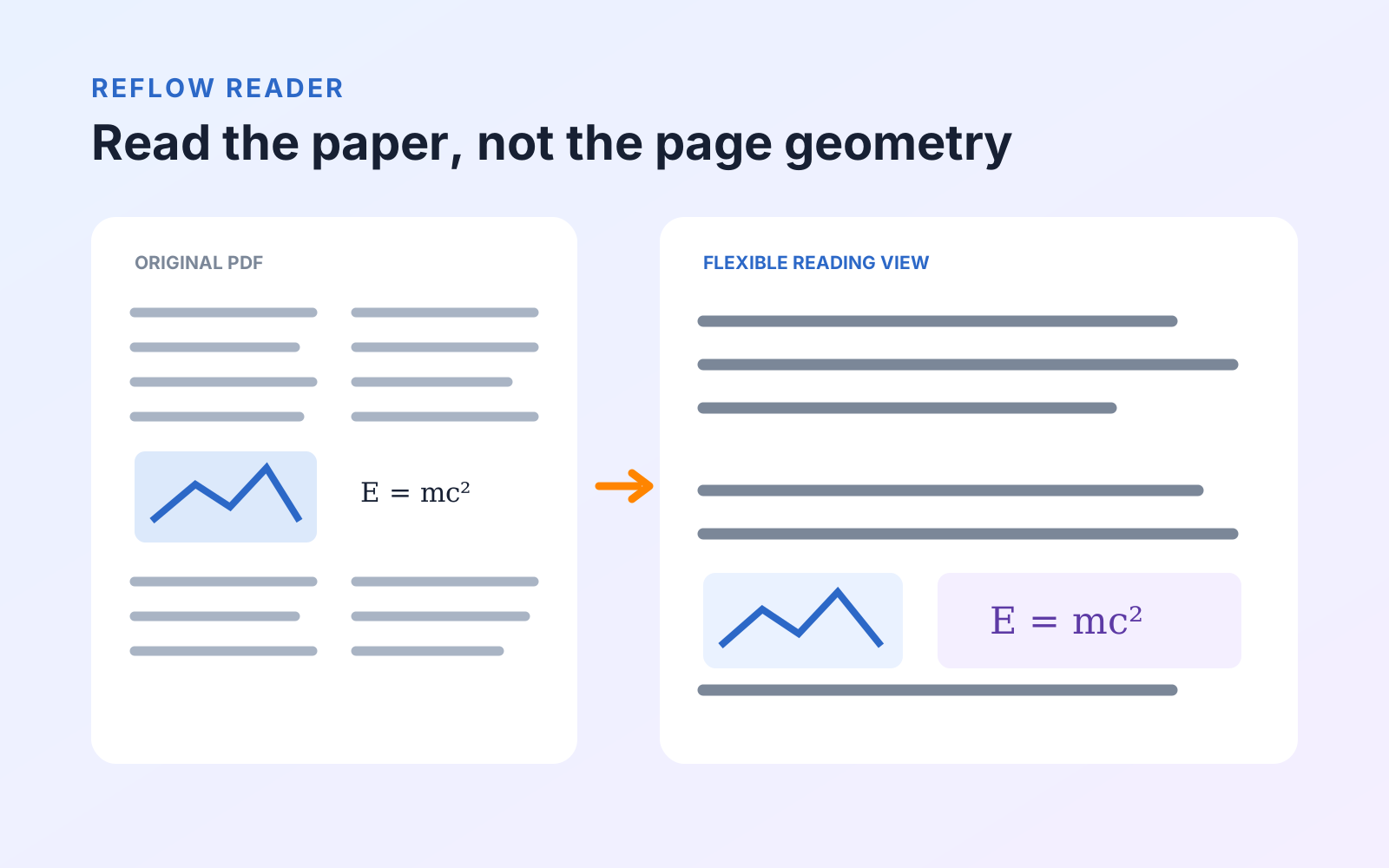
A research paper can be technically readable and still be exhausting to study. Two narrow columns, footnotes, figures, equations, and a phone-sized screen force your attention to jump around the page. Zooming makes the words larger, but it does not create a continuous reading path.
PDF Max's Reflow Reader rebuilds the paper as a reading view for Mac, iPad, or iPhone. It places detected text in reading order and keeps extracted images and recognized formulas near the material they belong to. The original PDF remains available as the authority whenever layout or notation matters.
Reflow Reader, Read Aloud, whole-document Translate, and equation-aware reading are Premium capabilities.
Check what kind of paper you received
Before opening Reflow Reader, test the document:
- Search for a distinctive term from the abstract.
- Select one sentence without selecting the whole page as an image.
- Copy the sentence into a plain-text note.
If those steps work, the PDF already has usable text. If they fail, the paper may be a scan and should first go through on-device OCR. A mixed document may contain searchable article pages and scanned appendices, so test more than the cover.
Read the structure, not the page geometry
Open Reflow Reader when columns and page furniture are getting in the way. Headings, paragraphs, lists, and tables are presented as a continuous document that adapts to the available width. Images remain part of the reading flow instead of disappearing behind a text-only extraction.
That makes a practical first pass easier:
- read the abstract and conclusion without repeated horizontal panning;
- increase the text size without magnifying every margin;
- move through the methods and results as a continuous sequence; and
- keep diagrams near the surrounding explanation.
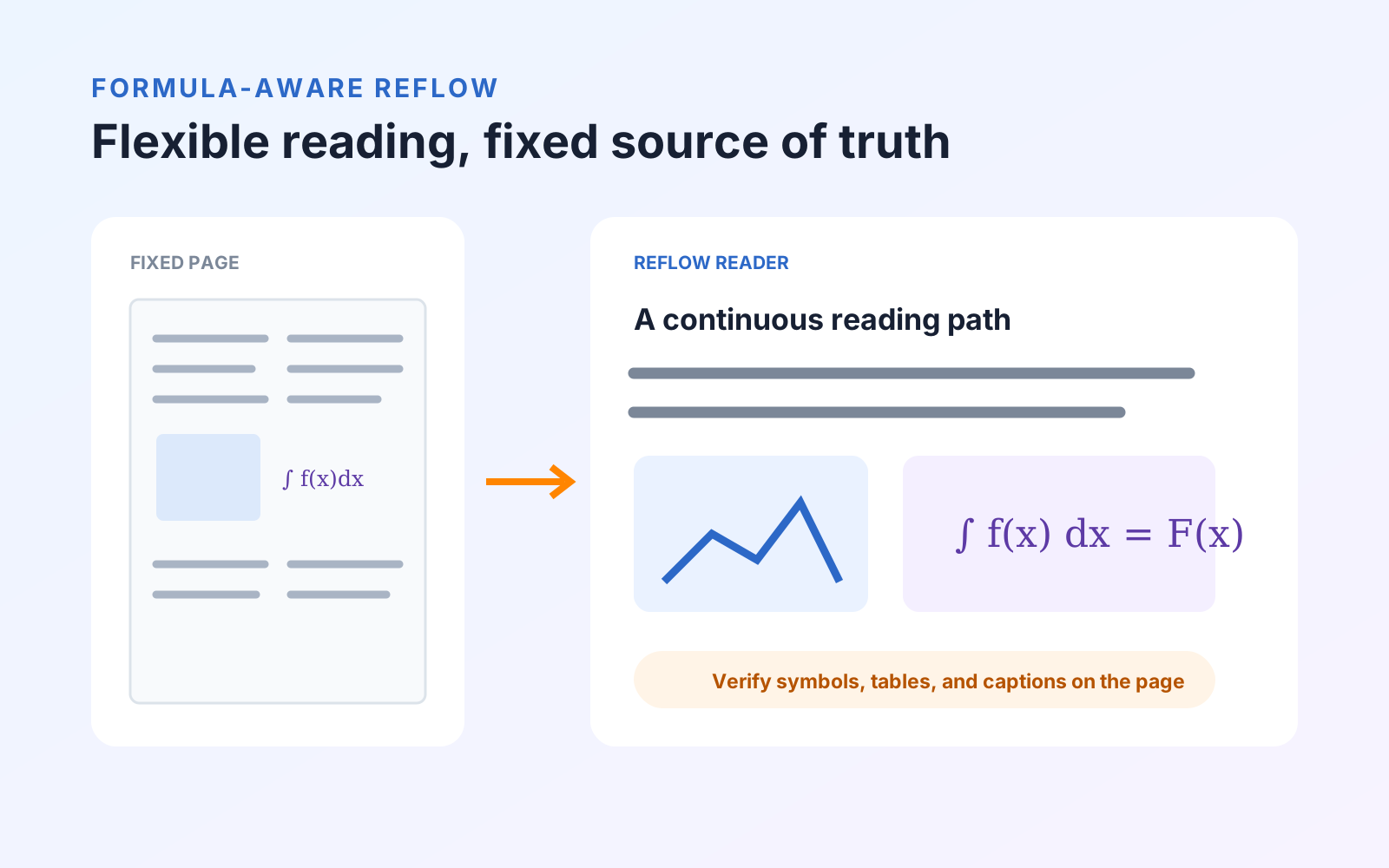
Reflow is an interpretation of a fixed-layout page. It is not a replacement for the source. Multi-column edge cases, decorative layouts, tables, and captions can still require the original page for confirmation.
Keep equations in the reading flow
Ordinary OCR is designed mainly for words. A scientific formula contains spatial relationships—fractions, roots, superscripts, matrices, and operators—that can be damaged when treated as a line of prose.
When equation recognition data is installed, PDF Max detects formula regions, recognizes their mathematical structure, and composes them with the reflowed text. Formula numbers remain associated with the relevant displayed equation, and the recognizable equation can stay alongside its source image where appropriate.
The equation model is a one-time optional download. If it is not installed, the reader still works; equation-aware results become available after the data has been prepared. Download it before traveling or studying somewhere with limited connectivity.
Listen when your eyes need a different mode
Read Aloud turns the reflowed document into a listening session. It is useful for a second pass through a literature review, for checking whether an argument flows, or for continuing through prose while away from the desk.
Listening is less reliable for dense notation. A speech engine may describe a formula awkwardly or read symbols in a way that hides their visual relationship. Pause at equations, tables, and figures, return to the page, and inspect them directly. Use Read Aloud for continuity, not as proof that technical content has been interpreted correctly.
For voice choice, scanned-page checks, word following, and a complete listening test, see how to listen to a PDF on iPhone, iPad, and Mac.
Translate unfamiliar papers without replacing the source
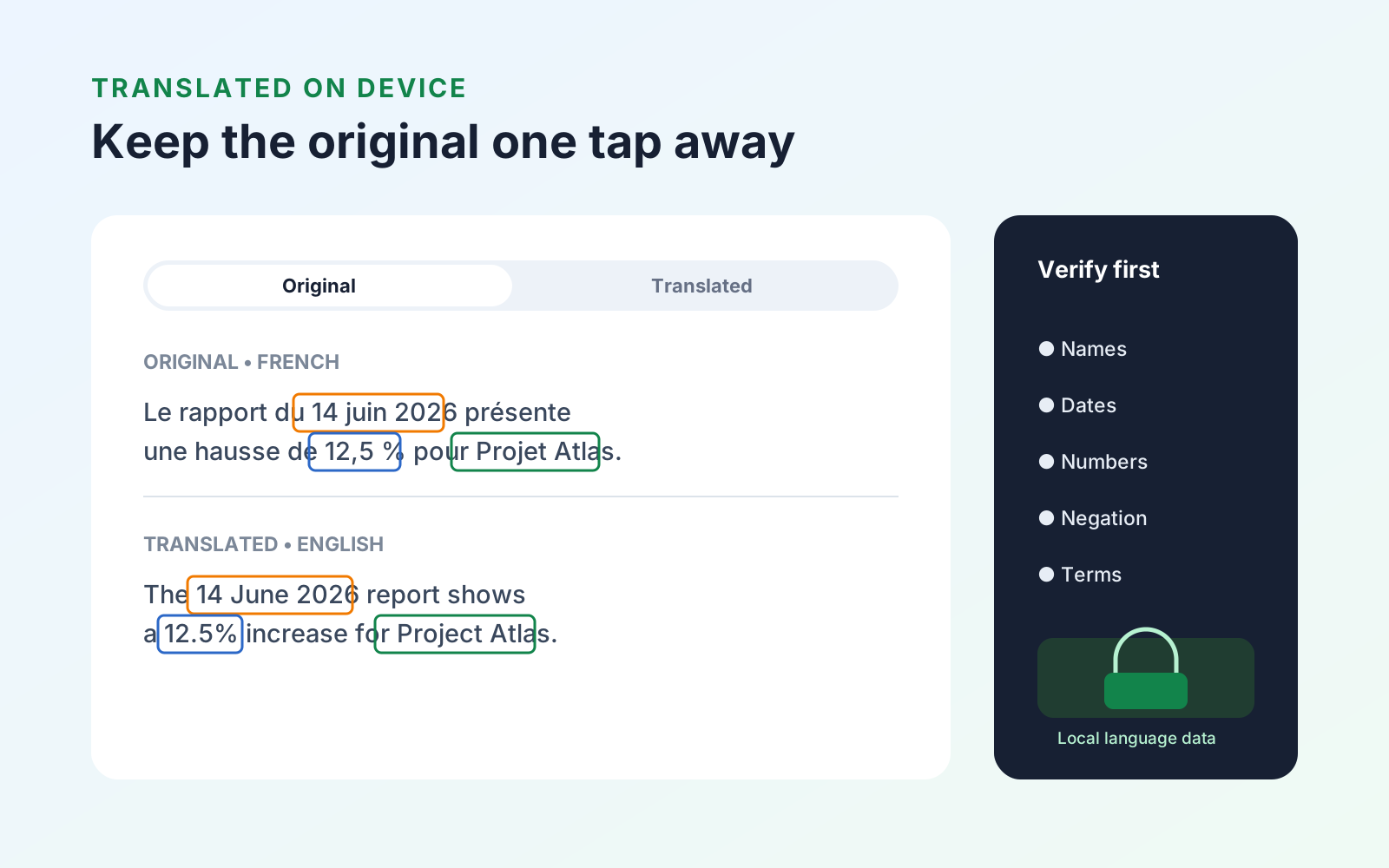
For supported language pairs, Translate opens the document in Reflow Reader and uses Apple's on-device translation. You can move between Original and Translated views instead of overwriting the PDF.
This is especially useful for surveying whether a paper is relevant before spending time on a detailed human translation. Verify author names, measurements, negation, domain terminology, and all equations against the source. If the paper is scanned, check the OCR result first because recognition errors become translation errors. The complete workflow is covered in the on-device PDF translation guide.
Use a three-pass research reading method
For a new paper, separate orientation from evidence gathering:
- Orient: Read the abstract, section headings, figures, and conclusion in Reflow Reader.
- Interrogate: Return to the original pages for tables, formulas, citations, assumptions, and limitations.
- Capture: Save only the passages, images, tables, and equations that answer your research question.
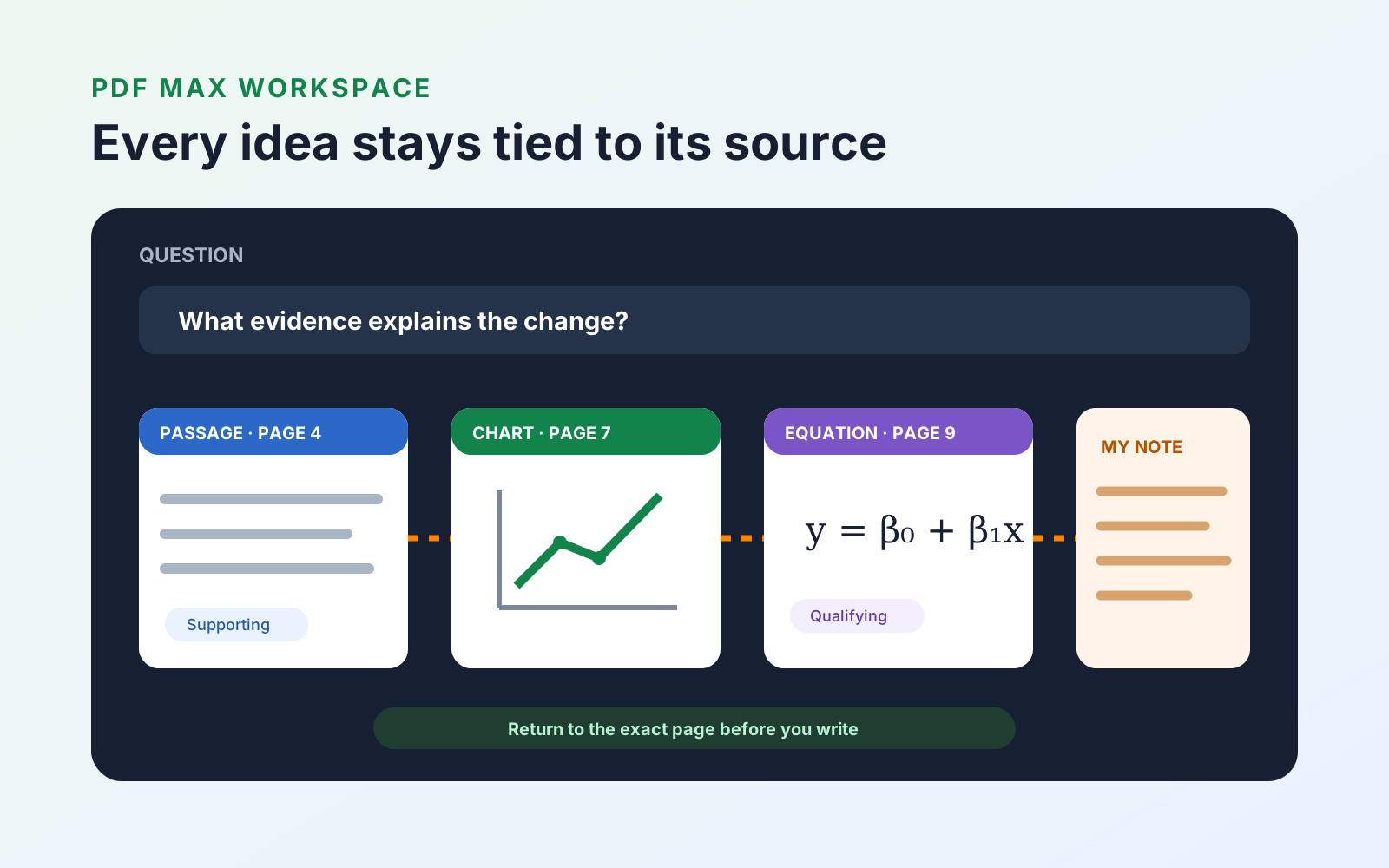
The third pass leads naturally into PDF Max Workspace. Instead of copying disconnected quotations into a notes file, you can organize research evidence with its source attached. The flexible reader helps you understand the paper; the source-linked workspace helps you use it without losing where each idea came from.
Once the source-linked Cards contain the definitions, relationships, formulas, and findings you need to remember, PDF Max Study, included with Free, can turn them into reviewable Questions. Scheduled Study updates each Question's own history; practice sessions do not change the schedule. From either path, you can return to the original Card and PDF page when an answer needs context.