PDF Max vs MarginNote: which document-to-knowledge workflow fits you?
Compare PDF Max and MarginNote for PDF excerpts, connected Cards, visual organization, flashcards, spaced review, editing, and research output.
Direct answer
Should you use PDF Max or MarginNote for deep reading and study?
Choose MarginNote when one excerpt should become a document highlight, mind-map node, and flashcard inside a deep-reading system built around maps and recall. Choose PDF Max when source-linked Cards and Study must coexist with complete PDF editing, OCR, forms, redaction, presentation, and delivery across Mac, iPad, and iPhone. MarginNote is more specialized around mind maps and learning; PDF Max spans the full document lifecycle.
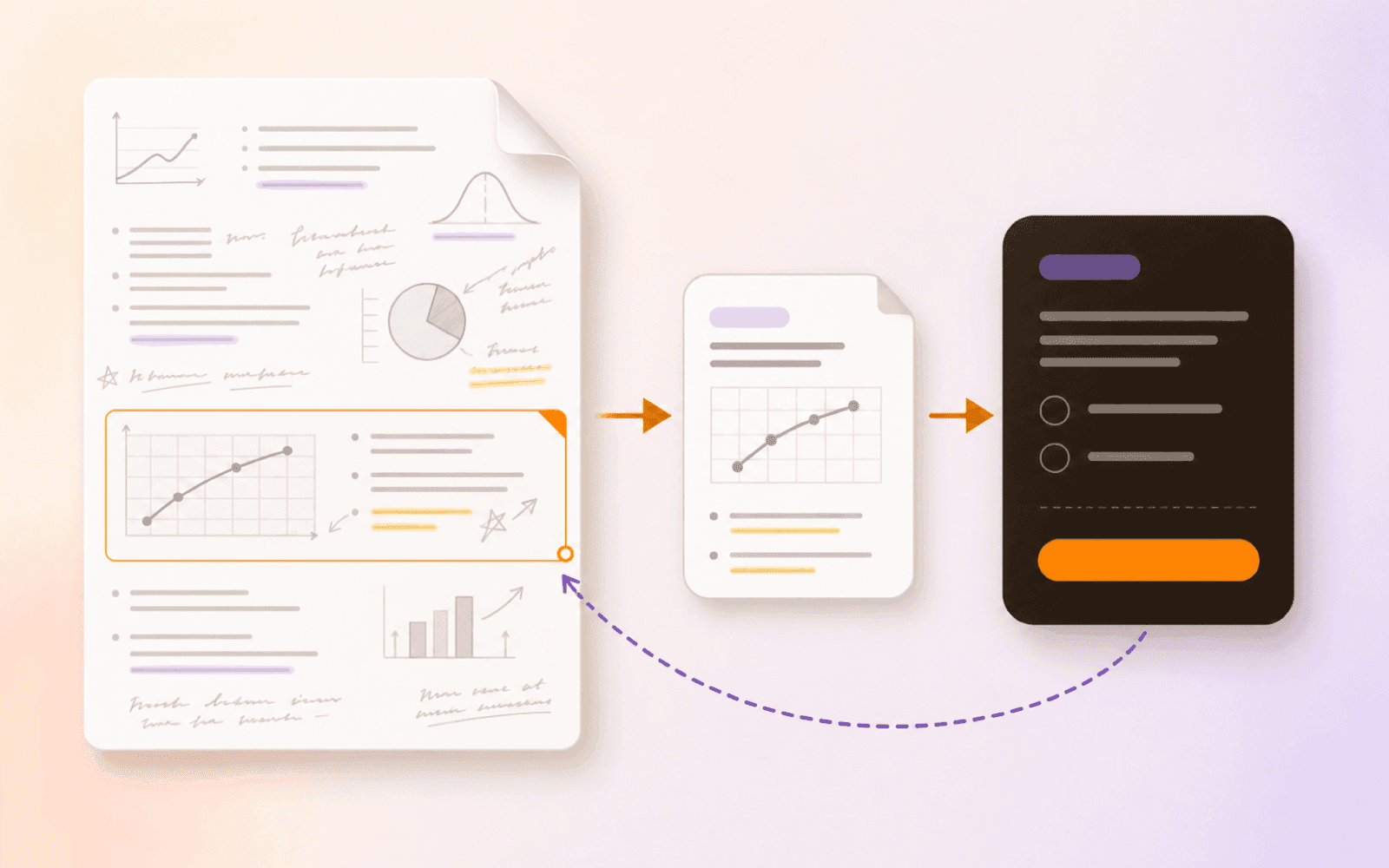
MarginNote and PDF Max share an important idea: a useful excerpt should not become a dead copy. It should retain its source, participate in a larger structure, and support later recall.
MarginNote describes one Card as three synchronized forms: a document highlight, a mind-map node, and a flashcard. PDF Max uses a different chain: source evidence becomes a Workspace Card, Cards connect and enter Frames, and Questions included with Free point back through those Cards to the document.
The short answer
Choose MarginNote when mind maps, document recall, knowledge linking, and flashcards are the center of deep reading on Mac and iPad.
Choose PDF Max when the same research and learning workflow must continue into existing-content editing, OCR, forms, conversion, redaction, protection, presentation, and finished-PDF delivery across Mac, iPad, and iPhone.
Capability comparison
| Criteria | PDF Max | Compared app |
|---|---|---|
| Core knowledge object | A Workspace Card captures accepted evidence and keeps a link to the exact PDF page; Questions can be created from that Card. | One Card can appear as a document excerpt, mind-map node, and flashcard across reading, mapping, and recall modes. |
| Visual organization | Arrange Cards in layouts, connect them with named relationships, and group an argument into Frames for navigation or presentation. | Build mind maps and outlines from excerpts and Cards, with layers and recall modes centered on that visual structure. |
| Multiple sources | Free combines evidence from multiple PDFs in one Workspace without merging the source files. | Official workflows include cross-book reading, study sets, and literature-review scenarios spanning many documents. |
| Study | Free includes reviewable Questions, scheduled Study, unscheduled Practice, saved scopes, Progress, schedule tuning, and source return. | Cards can enter review decks and spaced repetition, while document and mind-map recall modes hide and reveal source knowledge. |
| Capture types | Capture text, markup, image, table, and formula regions with Free, then tag, filter, connect, and export accepted knowledge according to plan. | Create excerpts, extended notes, handwriting, images, and Cards that participate in document and mind-map workflows. |
| PDF production | Edit PDF content, run OCR, author forms, sign, convert, compress, redact, protect, present, and deliver the file. | Its defining workflow is deep reading, mapping, notes, and recall rather than full PDF production and delivery. |
| Apple platforms | Designed for Mac, iPad, and iPhone. | Official positioning focuses on Mac and iPad workflows. |
Where MarginNote is the natural choice
MarginNote’s strongest idea is structural unity. The same Card can remain visible in the source, become part of a mind map, and enter review. That model reduces the fragmentation created when a highlight, a note, and a flashcard live in separate systems.
Its official materials also emphasize deep-reading techniques such as document recall, mind-map recall, extended notes, scene recording, and book compilation. Learners who think in maps or build large exam-oriented knowledge structures should test those workflows directly.
Where PDF Max is the natural choice
PDF Max is broader around the file. Workspace and Study are not separate products from the editor; they sit beside reading, annotation, OCR, conversion, form creation, redaction, and delivery. A legal reviewer or consultant can build a source-linked argument and still finish the actual document without exporting to another PDF tool.
Frames also serve a professional presentation role. They organize accepted evidence into a sequence that can be presented live, while Premium export can turn the same research into Markdown, PDF, or Word according to plan.
Compare the source-return path
Create equivalent excerpts in both apps, move them into a larger structure, and return to the source after several days. Check whether the app lands on the exact evidence, preserves enough surrounding context, and keeps the relationship understandable after the workspace grows.
Then test the next output. If the work ends as a mind map and review deck, MarginNote’s model may be the clearer fit. If it ends as a verified PDF, evidence-backed brief, or live Frame presentation, PDF Max may remove more handoffs.
Which should you use?
Use MarginNote when deep reading, mind maps, and recall are the primary product. Use PDF Max when those activities are part of a larger document workflow that begins and ends with usable PDFs.
Neither page should imply complete parity. MarginNote has specialized mapping and recall concepts that PDF Max does not claim; PDF Max has editing, forms, redaction, conversion, and delivery capabilities outside MarginNote’s central purpose.