Spaced Repetition Question Keeps Failing? Fix the Source
Use PDF Max Progress honestly, return through the Card to the PDF, and repair or replace a Question you keep forgetting without corrupting its schedule.

Direct answer
What should you do when the same PDF Study Question keeps failing?
Use Progress to check Workspace-wide recall, forgotten reviews, and upcoming workload; it does not rank individual Questions by lapse count. Find a Question you recognize as troublesome under In progress, At risk, or All, then open its Card and PDF source. Clarify the Card, or create a smaller replacement and pause the old Question. Deleting the old one removes its review history. Workspace Practice can test the repair without changing the schedule.
When the same Question keeps coming back as forgotten, adding more repetitions can make the queue heavier without fixing the reason it fails. The prompt may ask for too much, the answer may depend on context that was left behind, or the underlying idea may never have been understood well enough to retrieve.
The useful response is diagnostic: read what Progress can actually tell you, identify a known trouble Question in Study Home, return through its Card to the PDF page, and decide whether the evidence, the Question, or the learning decision needs to change.
Progress is a Workspace summary. It does not present a ranked list of the Questions with the most lapses, and it does not rewrite anything automatically.
Read Progress as a signal, not a score
Open Study Home and show Progress from the more-actions menu. The implemented panel reports:
- the total number of answers recorded;
- time spent and the current day streak;
- overall Recall, with the schedule's expectation when a prediction exists;
- the aggregate number of review-state answers recorded as forgotten; and
- a fourteen-day Coming Up forecast of due work.
These figures answer two different questions. Recall and forgotten reviews indicate how scheduled work has gone. Coming Up shows the shape of the workload waiting ahead. A busy forecast does not prove the Questions are badly written, and a high recall figure does not prove every important idea is understood.
Do not treat Recall as an exam mark to maximize. Recording a passing response after failing to retrieve the answer may protect the percentage, but it gives the schedule false evidence.
Find a Question you know is causing trouble
Study Home offers several useful views:
- In progress includes Questions in learning or relearning, so a recent scheduled miss often appears there.
- At risk lists previously answered Questions whose predicted recall is at or below the app's 70% risk threshold.
- All is the management view when you already recognize the prompt but it is not in either narrower list.
At risk is not a leech counter and is not ordered by lapse total. The app keeps per-Question scheduling memory, but Progress displays only the aggregate forgotten count. Start from a Question you remember missing, or from a prompt you can already see is ambiguous.
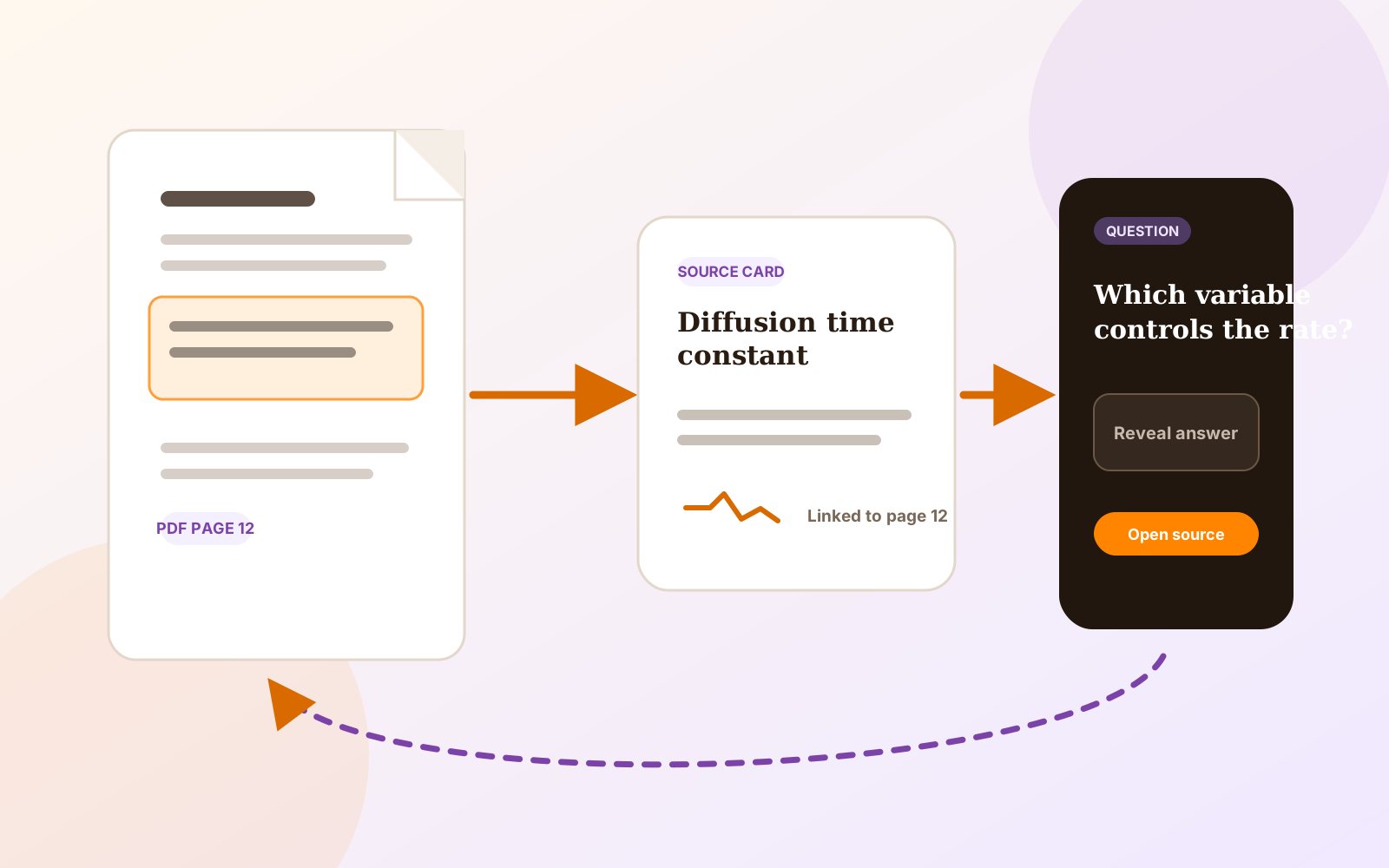
Tap the Question row to open its Card. The row's menu also offers Go to Source when the Card has a current page link. If the source page has changed, the source action is disabled until the Card's source relationship is repaired; the app does not quietly jump to evidence it no longer trusts.
Return to the page before changing the Question
Read enough of the source page to decide why the retrieval failed:
- You never understood the idea. Read the surrounding explanation, worked example, or diagram and improve the Card's note or captured context before practicing again.
- The Question asks for several independent facts. Create smaller Questions from the same Card, then pause or delete the overloaded one.
- The format hides the useful context. Create a replacement cloze, typed, image, table, or formula Question whose answer boundary is clear.
- The evidence moved or changed. Repair or re-anchor the Card's source before changing the learning prompt.
- The item is not worth the workload. Pause it so it leaves sessions, or delete it if it should not remain in the Workspace.
This is where source-linked Questions differ from a detached prompt. The page can show that a short answer omitted a condition, a diagram requires spatial context, or the lecturer's note contradicted the wording you captured.
The guide to studying diagrams, tables, and formulas covers visual replacements. If the source is an image-only scan, follow the scanned lecture-notes workflow. Recognize Text is Premium; ordinary Study and source return are Free. The current boundary is documented in the Free, Pro, and Premium comparison.
Repair the Card or replace the Question
A Question points to fields the Card already holds. When a basic, typed, or cloze Question reads its prompt or answer from a Card field, improving that Card field changes what the Question reads without moving its scheduling memory.
A healthy authored Question does not currently expose a general Rewrite Question action from its row. Repair Question… appears for an unhealthy Question whose target needs attention; it is not a general-purpose rewrite command. If a healthy Question is badly worded or uses the wrong format, create the clearer replacement first, then pause or delete the original.
Deletion is not a neutral edit. The app warns that deleting a Question permanently removes its recorded reviews and the schedule those reviews produced. Pausing keeps the Question and its history but takes it out of every session until you resume it. The Card inspector calls the same action Suspend; Study Home labels it Pause.
Use that distinction deliberately:
| Problem | Supported action | Effect on history |
|---|---|---|
| Card context is unclear | Improve the relevant Card field | Question memory remains |
| Prompt asks too much | Create smaller Questions; pause the old one | Old history remains while paused |
| Question wording or type is wrong | Create a replacement; then delete or pause the old one | Replacement starts new; deletion removes old history |
| Source target is unhealthy | Use the offered repair or re-anchor workflow | Repair preserves the Question's memory |
| Material is no longer useful | Pause or delete | Pause preserves; delete removes history |
This advice overlaps with the general spaced-repetition idea of a “leech,” but PDF Max does not expose Anki's leech tag or automatic leech actions. Anki's official leech guide defines leeches as repeatedly forgotten cards and recommends changing how the information is presented before simply adding more reviews. It also treats deletion, suspension, and waiting as distinct choices.
Keep Study evidence separate from extra Practice
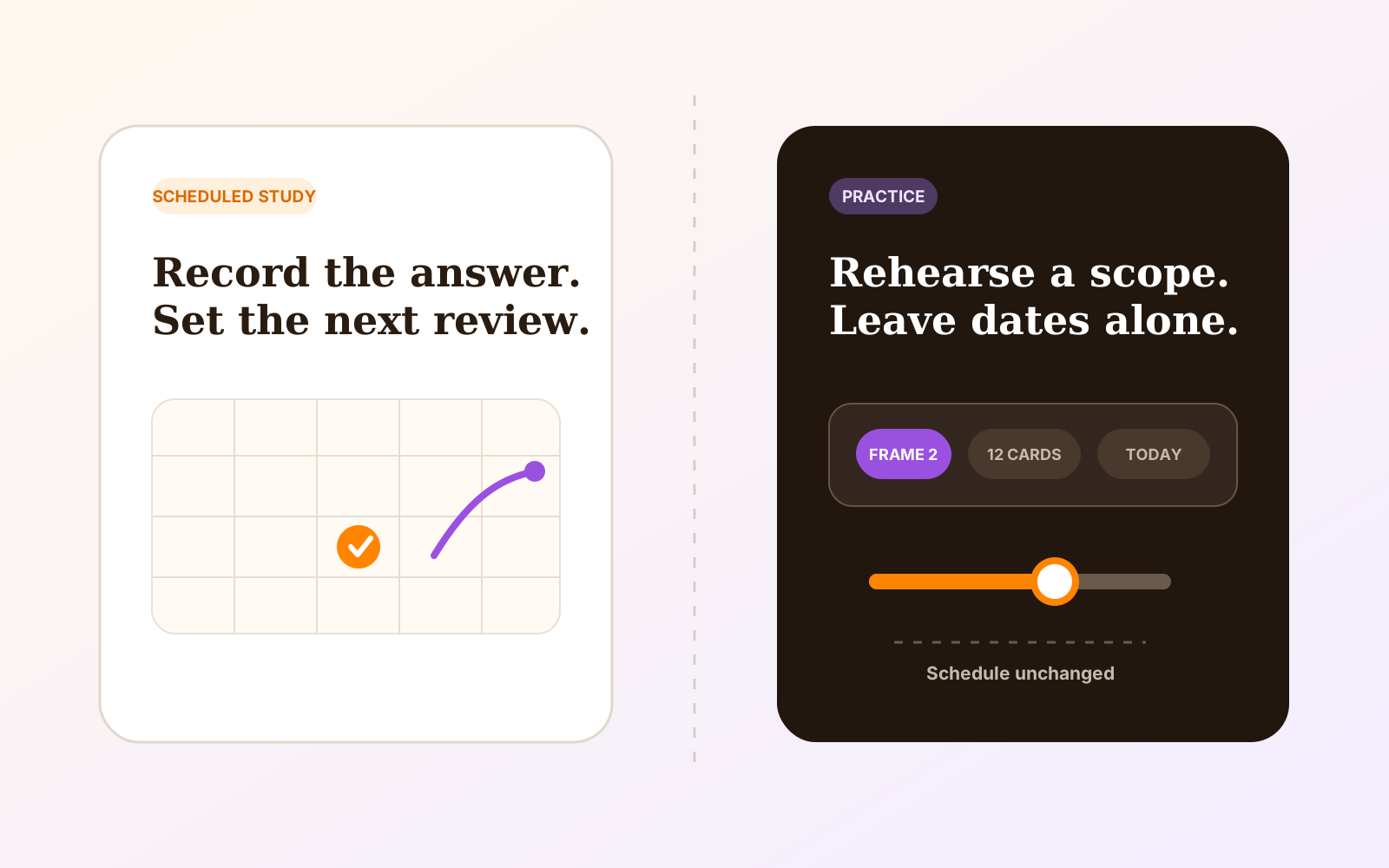
Use scheduled Study when the answer should be recorded and determine when that Question returns. After a repair, use Practice Without Changing Your Schedule when you want an extra check that writes no review event and moves no due date.
The current Practice action runs over the Workspace. It does not offer a command to practice an arbitrary hand-picked set of three Questions. If you start Study these from a filtered list such as At risk, that is scheduled Study and its ratings become history.
The scheduled Study versus Practice guide explains the distinction in detail. The rule for this repair loop is simple: use Practice to test presentation without contaminating the schedule, then return to scheduled Study when future answers should count.
Keep the workload honest
Repeated forgetting is not always a defect. Some important material is genuinely difficult and deserves more retrieval. The diagnostic loop prevents a different mistake: feeding the scheduler observations of a vague prompt, an invalid source, or an answer that bundles several skills together.
Open Progress, read Recall, forgotten reviews, and the Coming Up bars, then open one Question you know is repeatedly failing from In progress, At risk, or All. Check its Card and source page, clarify the Card or replace the Question, and use Workspace Practice to test the repair without changing the schedule. The broader PDF Max Study versus Anki comparison covers scheduler depth, imports, customization, and source return.