PDF Max Study vs RemNote: which document-learning workflow fits you?
Compare PDF Max Study and RemNote for PDF annotation, source-linked flashcards, spaced practice, progress, AI assistance, notes, and document output.
Direct answer
Should you study source documents in PDF Max or RemNote?
Choose RemNote when notes, linked knowledge, mature spaced repetition, cross-platform flashcards, and optional AI-guided learning are the center of your system. Choose PDF Max when Questions must remain inside a complete, Apple-first PDF workflow with direct source return, manual and reviewable on-device authoring, rich document editing, Workspace synthesis, and verifiable PDF output. RemNote is the broader dedicated learning system; PDF Max connects focused Study to the document lifecycle.
RemNote and PDF Max Study both reduce the distance between reading source material and practicing what matters. Each can begin with a PDF, create review material from the document, schedule future practice, and preserve a route back to context.
They differ in scope. RemNote is a dedicated note-taking and learning system. PDF Max Study is included with Free inside a complete PDF editor and source-grounded Workspace.
The short answer
Choose RemNote when your primary system is a linked knowledge base with flashcards, mature spaced repetition, cross-platform access, imports, community material, and optional AI-guided learning.
Choose PDF Max when the original PDF remains central: it must be read, edited, OCR-processed, organized into source-linked Cards, studied, presented, protected, and delivered from the same Apple-focused product.
Capability comparison
| Criteria | PDF Max | Compared app |
|---|---|---|
| Primary job | A complete PDF workflow whose Free Study loop runs Document → Card → Question → Practice → Progress → Source. | A note-taking, knowledge-management, PDF-reading, flashcard, and spaced-repetition system built around linked Rems. |
| PDF reading and annotation | Annotate and edit the PDF directly, then capture trusted evidence into Workspace Cards with page-level source return. | Upload PDFs and other files, highlight and annotate them, and create notes or flashcards beside the Reader. |
| Question creation | Create basic, typed, cloze, multiple-choice, relationship, formula, image, and table-based Questions where supported. | Create flashcards manually, from notes while reading, through imports, or with AI features that use credits. |
| Practice and scheduling | Separate scheduled Study from unscheduled Practice, tune the schedule, and retain independent history for every Question. | Runs a dedicated spaced-repetition system in which learners review flashcards and rate difficulty to drive future scheduling. |
| Scopes | Study a Workspace, document, Frame, selected Cards, due Questions, or a saved preset. | Practice cards from documents and the broader knowledge base using RemNote's flashcard and queue organization. |
| AI assistance | Optional on-device Question drafts require Apple Intelligence on supported iOS and macOS 26 devices and must be reviewed before saving. | Reader AI features include guided learning, summaries, tutoring, quizzes, and flashcard generation under an AI-credit model. |
| PDF production | Includes existing-content editing, OCR, forms, conversion, redaction, compression, protection, presentation, and delivery. | Its Reader is designed for annotation and learning; RemNote is not positioned as a full PDF editor for document production. |
Where RemNote is the stronger fit
RemNote is built around learning as the primary activity. Notes and flashcards live in the same knowledge base, and the spaced-repetition system extends across material created manually, imported, shared, or generated with AI. Its Reader supports PDFs and other uploaded files, while guided modes add summaries, flashcard practice, quizzes, and tutoring.
That broader learning environment matters when a student wants one long-lived system across courses, devices, web pages, notes, and community material. PDF Max does not claim RemNote’s full knowledge-base, collaboration, AI-tutor, quiz, import, or ecosystem breadth.
Where PDF Max is the stronger fit
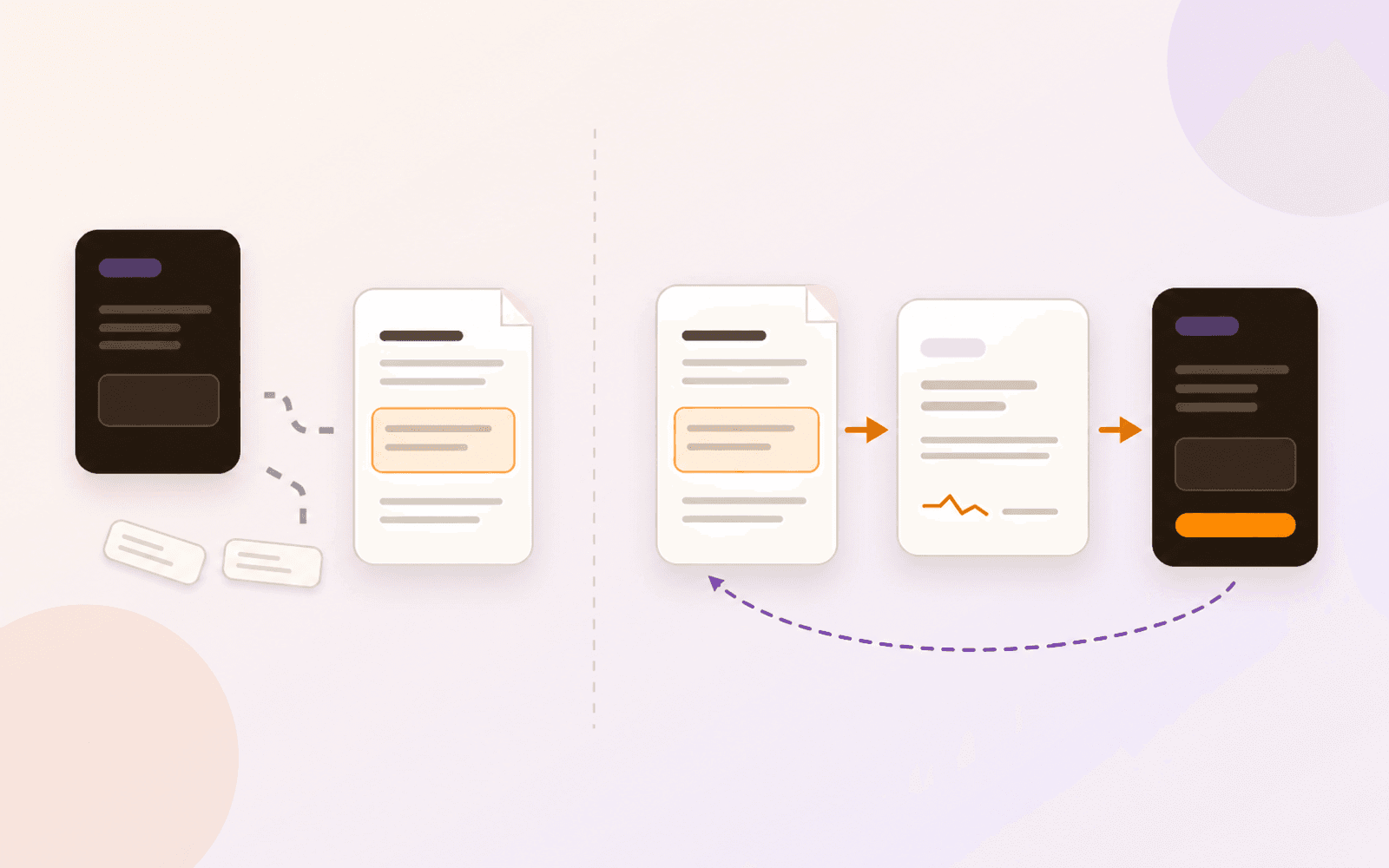
PDF Max begins with a source that must remain inspectable and usable as a PDF. A Question points to a Card, and the Card points back to the original page evidence. Practice can be run without changing the schedule, which makes it possible to rehearse a presentation, refresh a selected Frame, or explore one document without distorting the due queue.
The same file can also be OCR-processed, corrected, converted, filled, signed, redacted, protected, presented, and shared. For professional learners, that can remove the handoff between a PDF editor, research canvas, and study app.
Example: turn a lecture passage into a review question
Suppose a lecture PDF explains how a process changes under two different conditions. You want to remember the distinction and return to the paragraph whenever an answer feels ambiguous.
- Keep the source attached. In PDF Max, capture the passage as a Workspace Card. In RemNote Reader, highlight it and paste a reference or a pin into your notes. RemNote's Reader guide explains that a pin jumps back to the highlight.
- Write one question. In PDF Max, create a Question from that Card and check its wording. In RemNote's Notes pane, write a flashcard beside the source reference. Manual authoring works for this example; generating a question with AI is optional.
- Review it later. Use scheduled Study in PDF Max or RemNote's flashcard practice queue. Answer before revealing the result, then assess the response. Use PDF Max Practice when you want rehearsal that leaves the schedule unchanged.
- Return to the evidence. In PDF Max, follow the Question to its Card and the original PDF passage. In RemNote, return through the pin kept with your note. Check the surrounding explanation before correcting the question.
Both workflows can preserve source context. The choice is where you want that context to live: RemNote's notes and flashcards, or the same PDF Max Workspace used to annotate, edit, organize, and deliver the document. The PDF-to-Questions guide walks through the PDF Max route.
AI and manual authoring are different choices
RemNote’s current Reader documentation describes AI-guided learning, summaries, tutoring, quizzes, and flashcard generation using AI credits. PDF Max’s shipping claim is narrower: Apple Intelligence may draft Questions on supported devices, but the user reviews each draft before saving and can always author Questions manually.
Choose based on the assistance model you actually want. A guided AI course and a reviewable on-device draft are not interchangeable features.
Which should you use?
Use RemNote when you want a dedicated learning and knowledge-management system whose document reader feeds a mature flashcard environment. Use PDF Max when studying is one stage in a source-grounded PDF workflow and the original document must remain editable, verifiable, and deliverable.
Do not choose based on a generic “spaced repetition” checkmark. Test source capture, question authoring, a week of scheduling, progress inspection, source return, and the final document output.