Microsoft Publisher is retired: what happens to your .pub files
Microsoft retired Publisher in October 2026. What changed for Microsoft 365 and one-time versions, what happens to .pub files, and how to open and edit them now.
Direct answer
What happens to my .pub files now that Microsoft Publisher is retired?
Your .pub files are still on your disk, but Microsoft 365 no longer includes Publisher, so subscribers cannot open or edit them there. One-time versions such as Publisher 2021 still run without updates. To keep working, open the files in Mobeera Office on Mac, Windows, iPhone, iPad or Android, and your own AI can build new publications for you.
Microsoft retired Publisher in October 2026. Your .pub files are still yours, but the app most people used to open them is gone. This page explains what changed, who is affected, and what to do with the newsletters, bulletins, flyers and labels you still have in Publisher format.
When did Microsoft Publisher end?
Microsoft announced the retirement well ahead of time and it took effect in October 2026.
| If you had | What changed |
|---|---|
| Microsoft 365 subscription | Publisher was removed in October 2026. It can no longer be installed, and subscribers can no longer open or edit .pub files in it. |
| Publisher 2021 or Office LTSC 2021 (bought once) | Support ended on October 13, 2026. An installed copy still runs, with no security updates or fixes. |
| Publisher 2019 or earlier | Already out of support. An installed copy still runs. |
| Office 2024 or Office LTSC 2024 | Publisher is not included. |
Publisher never had a Mac, iPhone, iPad or web version, so nothing changed there: those devices never opened .pub files with Microsoft software.
Are my .pub files deleted or locked?
No. A .pub file is an ordinary file on your computer, in OneDrive or on a shared drive. The retirement removed the program, not the files. What you lose is the easy way to open them.
Can I keep using an old copy of Publisher?
If you own a one-time version such as Publisher 2016, 2019 or 2021 and it is installed, it still starts and still opens your files. There are three risks to plan for:
- it gets no security updates;
- you may not be able to reinstall it on a new computer;
- everyone you share files with needs their own working copy.
For an office, school or church where several people update the same bulletin, that last point usually decides it.
What does Microsoft suggest?
Microsoft's advice is to convert publications to PDF, or to Word, while you still have Publisher. It points to Word and PowerPoint for new work.
A PDF keeps the look and is right for an archive or for printing again. It is not a way to keep editing: text boxes, linked stories and master pages do not come back when you open a PDF in Word.
How do I open and edit a .pub file now?
Use an app that reads the Publisher format directly and gives you an editable page layout.
Mobeera Office opens .pub files on Mac, Windows, iPhone, iPad and Android. It reads the file, keeps your text boxes, tables, pictures and master pages editable, and saves your work as a Mobeera publication (.mpub). The original .pub is never changed.
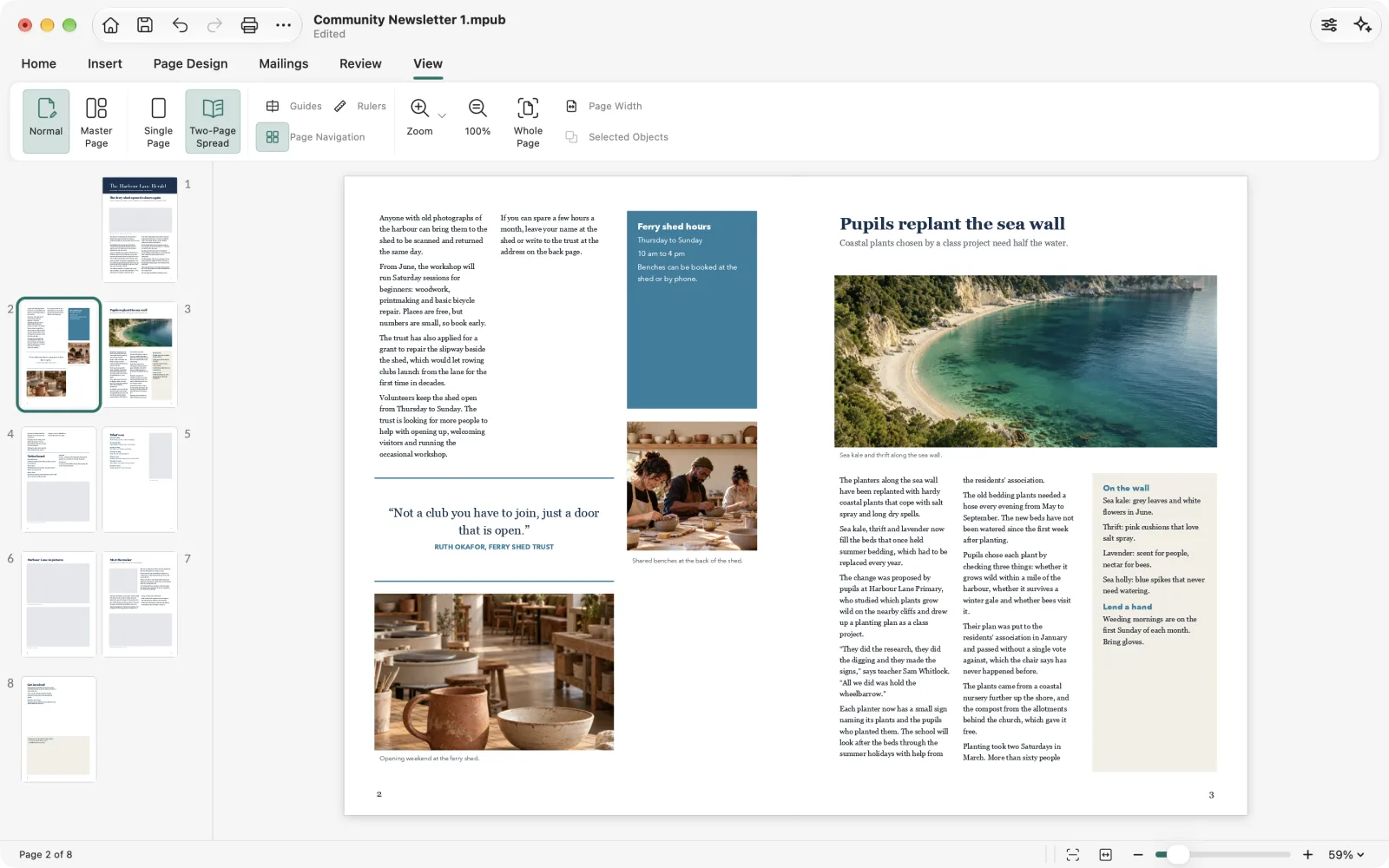
Opening and reading a publication is free. Editing, printing and PDF export need lifetime access, which you buy once.
What can Mobeera Office do that Publisher never could?
Two things, and they are the main reasons to choose it over a like-for-like replacement.
- It works on your phone and tablet. Publisher was tied to a Windows desktop. The Publish editor runs on iPhone, iPad and Android as well as Mac and Windows, so you can fix a date on Sunday's bulletin or swap a photo on a flyer from wherever you are, then print or send the PDF.
- Your AI can do the layout. On a Mac, connect Claude, ChatGPT, Codex, Cursor or another app that supports MCP, and ask it for "a one-page flyer for the spring fair on 14 May, in the school colors". It picks a starter design, fills in the text, runs the design check and leaves a publication you can edit. On Mac, iPhone and iPad, AI Chat sits on the Home tab of the editor and works with your own API key. See how to connect your AI app.
What should I do this week?
- Find your files. Search your computer and shared drives for
.pub. Include templates you reuse every week or every term. - Sort them. Mark each one as "still edit" or "archive only".
- Make a PDF of the archive pile. A PDF opens anywhere and prints the same way.
- Open the "still edit" pile in its new home. Check each page against the PDF or a printed copy, fix anything that moved, and save.
- Keep the original
.pubfiles. They cost nothing to store and you may want them again.
Common questions
Will a .pub file open on a Mac?
Yes, with the right app. See how to open a .pub file on Mac, iPhone and iPad.
Can I convert .pub files to PDF without Publisher?
Yes. See how to convert a .pub file to PDF without Publisher.
Can Word open a .pub file?
No. Word does not read the Publisher format. See how to turn a .pub file into a Word document.
What should I use in place of Publisher?
It depends on whether you need your old files. See Publisher alternatives compared.