Mobeera Office vs LibreOffice: Word files, AI and price compared
Mobeera Office against LibreOffice: Word, Excel and PowerPoint files, PDF tools, AI, iPhone and iPad editing, and what each costs. Where each one is the better choice.
Direct answer
Should you choose Mobeera Office or LibreOffice?
Choose LibreOffice if you want a free, open-source suite on Mac, Windows or Linux, work in OpenDocument formats, or need a database and drawing tool. Choose Mobeera Office if most of your files are Word, Excel and PowerPoint files, you also edit on iPhone, iPad or Android, you want PDF tools in the same app, or you want the AI you already use to work in your files while you review each change.
LibreOffice is the best-known free office suite, and for many people it is all they need. Mobeera Office is a newer, paid suite built around Microsoft's file formats, phones and tablets, and AI that works inside your files. They suit different people, and this guide sets out who.
The short answer
Choose LibreOffice if you want a capable office suite that costs nothing, you work on a Mac, Windows PC or Linux desktop, you prefer open-source software and OpenDocument files, or you need its database (Base) or drawing tool (Draw).
Choose Mobeera Office if the files you receive and return are mostly .docx, .xlsx and .pptx, you want to keep working on an iPhone, iPad or Android device, you want PDF forms, redaction and page tools in the same app, or you want your AI app to create and edit documents while you check what it changed.
At a glance
| Criteria | Mobeera Office | LibreOffice |
|---|---|---|
| Price | Free to download and try. Lifetime access is a one-time purchase: US$99.99. Or pay US$49.99 a year. | Free. Open source under the MPL v2.0 licence. |
| Apps | Docs, Sheets, Slides, PDF and Publish in one app. | Writer, Calc, Impress, Draw, Base and Math. |
| Native file format | Works directly in .docx, .xlsx and .pptx. | OpenDocument Format. It also reads and writes DOCX, XLSX and PPTX. |
| Runs on | Mac with Apple silicon and macOS 14 or later, Windows, iPhone, iPad and Android. | Windows, macOS 11 or newer on Intel or Apple silicon, and Linux. |
| Phone and tablet | Full editors on iPhone, iPad and Android. | An Android viewer with experimental editing. No iPhone or iPad app from The Document Foundation. |
| Fill and create forms, comment, redact, and insert, rotate and reorder pages. | Exports to PDF, including PDF/A and PDF/UA, with form, signature and security options. | |
| AI | AI Chat with your own API key on Mac, iPhone and iPad. On Mac, AI apps connect through MCP. | No generative AI features in LibreOffice 26.8, by design. |
| Tracked changes | Yes, in Docs. AI edits can arrive as tracked changes. | Yes, in text documents and spreadsheets. |
| Interactive slides | Yes. AI Chat builds them with your own AI, and they play in the slide show. They are compatible with interactive slides in PowerPoint. | No interactive slides, and Impress does not play the ones in a PowerPoint file. |
Word, Excel and PowerPoint files
Both suites open and save Microsoft's formats. The difference is where each one starts from.
LibreOffice uses the OpenDocument Format as its native format and converts Microsoft files on the way in and out. Its own help pages list the features that can cause conversion trouble, including Word revision marks, AutoShapes, tables and indexes, Excel pivot tables, conditional formatting and some formulas, and PowerPoint spacing and multimedia effects. When you return a file to someone using Word, remember to save it as DOCX and not ODT.
Mobeera Office works in .docx, .xlsx and .pptx directly, so there is no format to choose when you save. We test it against Microsoft Office feature by feature and publish the results: 97/100 for Word, 97/100 for Excel and 95/100 for PowerPoint. It is not perfect. Some chart details, WordArt, SmartArt and documents with missing fonts can still look different, and the compatibility page lists what differs.
With either suite, reopen the saved file before you send it, and ask the recipient to check anything with a strict layout.
Working on iPhone, iPad and Android
LibreOffice is a desktop suite. The Document Foundation offers an Android viewer with experimental editing and no iPhone or iPad app, and it does not run a hosted online service.
Mobeera Office has the same five editors on Mac, Windows, iPhone, iPad and Android. On Apple devices, one purchase covers every Mac, iPhone and iPad signed in to your Apple account. The Android and Windows apps are sold separately, on Google Play and in the Microsoft Store.
LibreOffice is strong at producing PDFs. Its export covers archival and accessible PDF standards, forms, digital signatures and security settings.
Mobeera Office has a PDF editor for the files other people send you: fill a form, add form fields, highlight and comment, redact text so it is removed from the file, and insert, delete, rotate and reorder pages. It can also convert a PDF into a Word document you can edit. It cannot yet change the text or pictures already on a PDF page.
AI
The Document Foundation states that LibreOffice 26.8 contains no generative AI features and that documents are not sent to remote services. If you want an office suite with no AI in it, that is a clear position. Third-party extensions exist, but they are not part of LibreOffice itself.
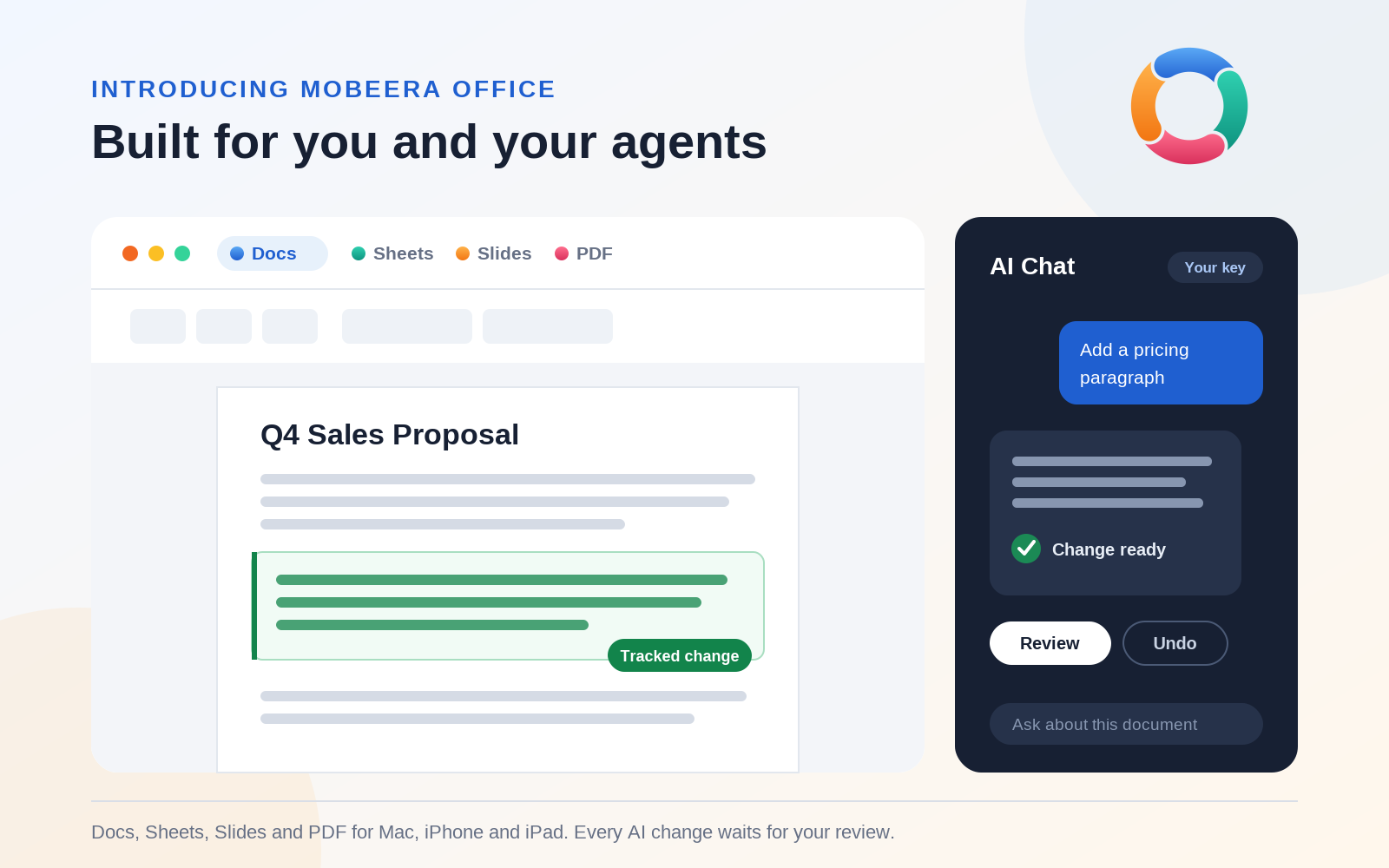
Mobeera Office is built to work with the AI you choose, and it also works with none. AI Chat runs on Mac, iPhone and iPad with your own API key, including an OpenAI-compatible server such as a local model. On Mac, apps such as Claude, ChatGPT and Codex connect through MCP and work in your files directly. Your AI only reaches files you share with it and files it creates, and in Docs its edits can arrive as tracked changes. Built for AI explains how it connects.
AI is not included in the price. Your AI provider bills you for what you use.
Price
LibreOffice is free, with no advertising and no account.
Mobeera Office is free to download. Without paying you can edit the first two pages of a document or PDF, the first two slides and the first 50 rows of a spreadsheet, and longer files open for reading. Lifetime access is a one-time purchase. See the current price.
When LibreOffice is the better choice
- You want a full office suite for free.
- You work on Linux, or on an Intel Mac.
- You want open-source software and open file formats.
- You need a database or a vector drawing tool.
- You want no AI features at all.
When Mobeera Office is the better choice
- Your work is mostly Word, Excel and PowerPoint files that go back to people using Microsoft Office.
- You edit on iPhone, iPad or Android as well as Mac.
- You fill, redact or rearrange PDFs often and want that in the same app.
- You want your AI app to draft and edit files, with changes you can review and undo.
- You present with interactive slides and need them to play in PowerPoint as well. Only Mobeera Office and PowerPoint support them.
LibreOffice is a registered trademark of The Document Foundation. Mobeera is not affiliated with The Document Foundation.
Sources
- Microsoft Support: create interactive slides with Copilot in PowerPoint
- LibreOffice: what is LibreOffice?
- LibreOffice: system requirements
- LibreOffice Help: about converting Microsoft Office documents
- LibreOffice: Android and iOS
- The Document Foundation: LibreOffice 26.8
- Mobeera Office file compatibility
- Mobeera Office pricing