How to merge PDFs on Android
Combine several PDF files into one on an Android phone or tablet with PDF Max: pick the files, put them in order, merge, and share the single PDF.
Direct answer
How do I merge PDF files on an Android phone or tablet?
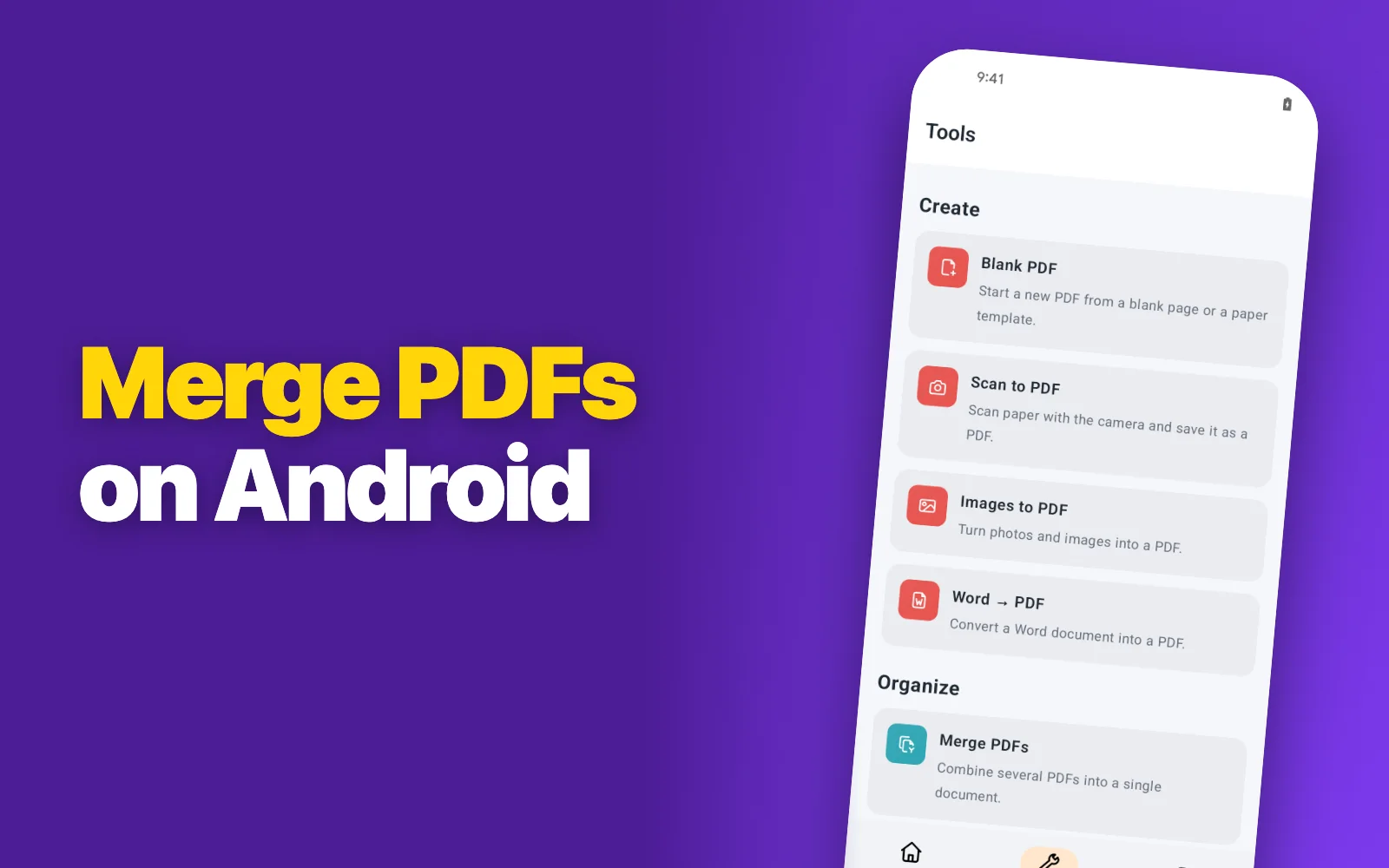
Open PDF Max, tap Tools at the bottom, and choose Merge PDFs under Organize. Tap Add PDFs… and pick two or more files, use the Move up and Move down arrows to put them in order, then tap Merge. PDF Max creates a new file named Merged and leaves the originals unchanged. Tap Open to check it or Share… to send it. Merging PDFs is part of PDF Max Premium.
An application wants one PDF, and you have five: the form, two statements, an ID scan and a cover letter. On an Android phone or tablet you can join them into a single file in the order you choose, without a computer and without uploading them to a website.
This guide uses PDF Max for Android, which runs on Android 11 or later. Merging PDFs is part of PDF Max Premium.
| What you want | Start here |
|---|---|
| Join several files into a new PDF | Merge PDFs tool |
| Join files you already see in My Files | Merge from My Files |
| Add another PDF to the one you have open | Merge into the open document |
Merge files with the Merge PDFs tool
- Open PDF Max and tap Tools at the bottom of the screen.
- Under Organize, tap Merge PDFs.
- Tap Add PDFs… and pick the files. You can select several at once in the Android file picker, and tap Add PDFs… again to add more from another folder.
- Put the files in order. Each row has a number, and its Move up and Move down arrows change its place. The file at number 1 becomes the first pages of the result.
- To drop a file from the list, tap Remove on its row.
- Tap Merge.
The button stays off until the list has at least two PDFs. A file is added only once, so picking the same PDF twice does not duplicate its pages.
When the merge finishes, PDF Max shows how many documents were merged and the page count of the result.
- Tap Open to look through the merged PDF.
- Tap Share… to send it by email or a messaging app.
The new file is named Merged. Your original files are not changed.
Merge from My Files
If the files are already in PDF Max:
- Tap My Files at the bottom of the screen.
- Touch and hold a PDF to start selecting, then tap the other PDFs you want.
- Tap the Merge button at the top. It turns on when two or more PDFs are selected.
- The Merge PDFs sheet opens with those files listed. Check the order, then tap Merge.
Add pages to the PDF you have open
To attach another PDF to the end of the document you are reading:
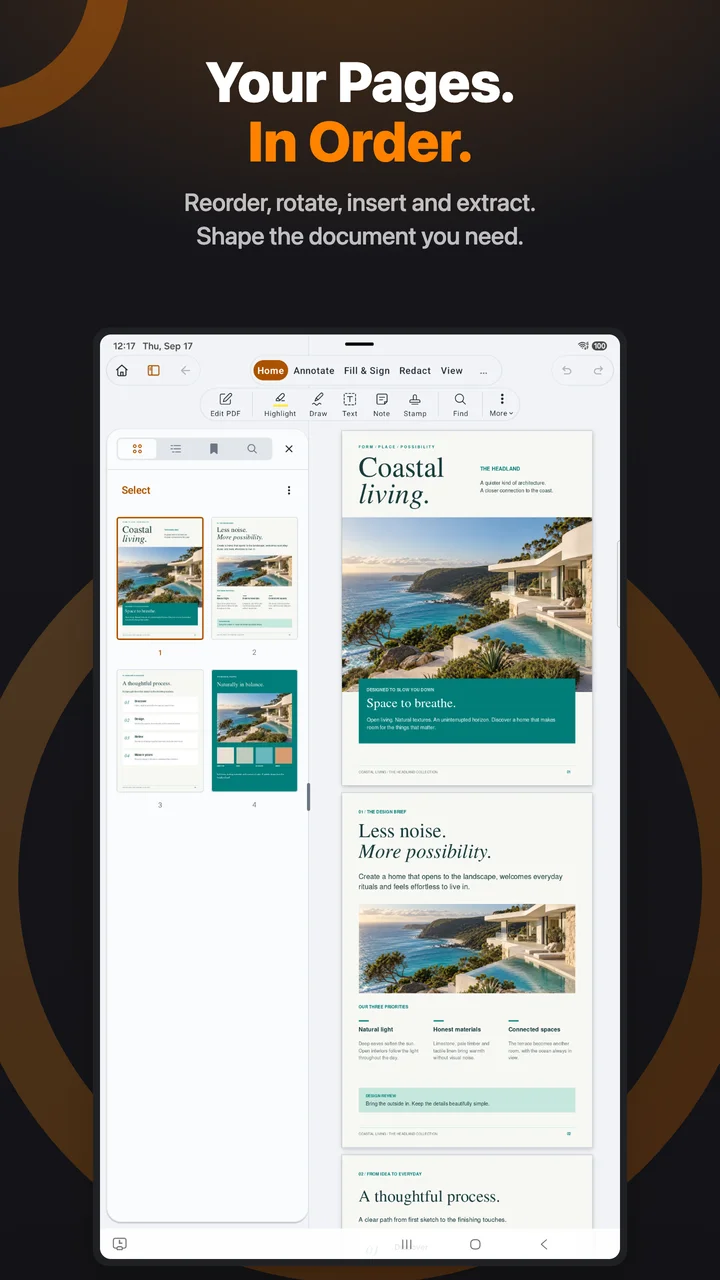
- Open the document and go to the Pages tab. On a phone, tap the … button (More options), then Tabs, then Pages.
- Tap More, then Merge in the Arrange group.
- Pick one or more PDFs.
Their pages are added after the last page of the open document. Open Thumbnails to check the result, and use Reorder if a page belongs somewhere else.
This changes the open document, so save it: tap …, choose Document, then Save, or Save As… to keep the original as it was.
Before you send the merged PDF
- Open it and scroll through every page. Check that nothing is missing or sideways.
- Rotate or remove pages on the Pages tab if needed.
- Give the file a clear name before sharing, such as the applicant's name and the document type.
If a file will not merge
- The file is marked Protected. A PDF that needs a password to open cannot be combined as it is. Use Set Password in Tools to remove the password with its current password, then merge the unlocked copy that is saved to My Files.
- The Merge button is off. The list has fewer than two PDFs.
- The file is not a PDF. Photos and Word files must become PDFs first. Use Images to PDF or Word → PDF on the Home screen, then merge the results.
Common questions
Does merging reduce the quality?
No. Pages are copied as they are, with their text, images and annotations.
Is there a limit on the number of files?
There is no set limit. Very large files take longer, and PDF Max shows which document it is working on.
Are my files uploaded?
No. The merge runs on your phone or tablet.
Can I merge PDFs in Google Drive?
Drive's viewer can open and annotate a PDF. It has no tool to join several PDFs into one.