Interactive Slides in Mobeera Office, compatible with PowerPoint
Make a dashboard, calculator or quiz slide your audience can click, in a .pptx file. Interactive Slides in Mobeera Office also play in PowerPoint for Microsoft 365.
Direct answer
How do I make an interactive slide that also works in PowerPoint?
Open a presentation in Mobeera Office, choose Insert > Interactive Slide and pick a kind, such as Dashboard, Calculator or Quiz. AI Chat builds the slide from your deck, and you click through it during the slide show. It is saved in the .pptx file the way PowerPoint's own interactive slides are, so it stays interactive in PowerPoint for Microsoft 365, and interactive slides made in PowerPoint play in Mobeera Office.
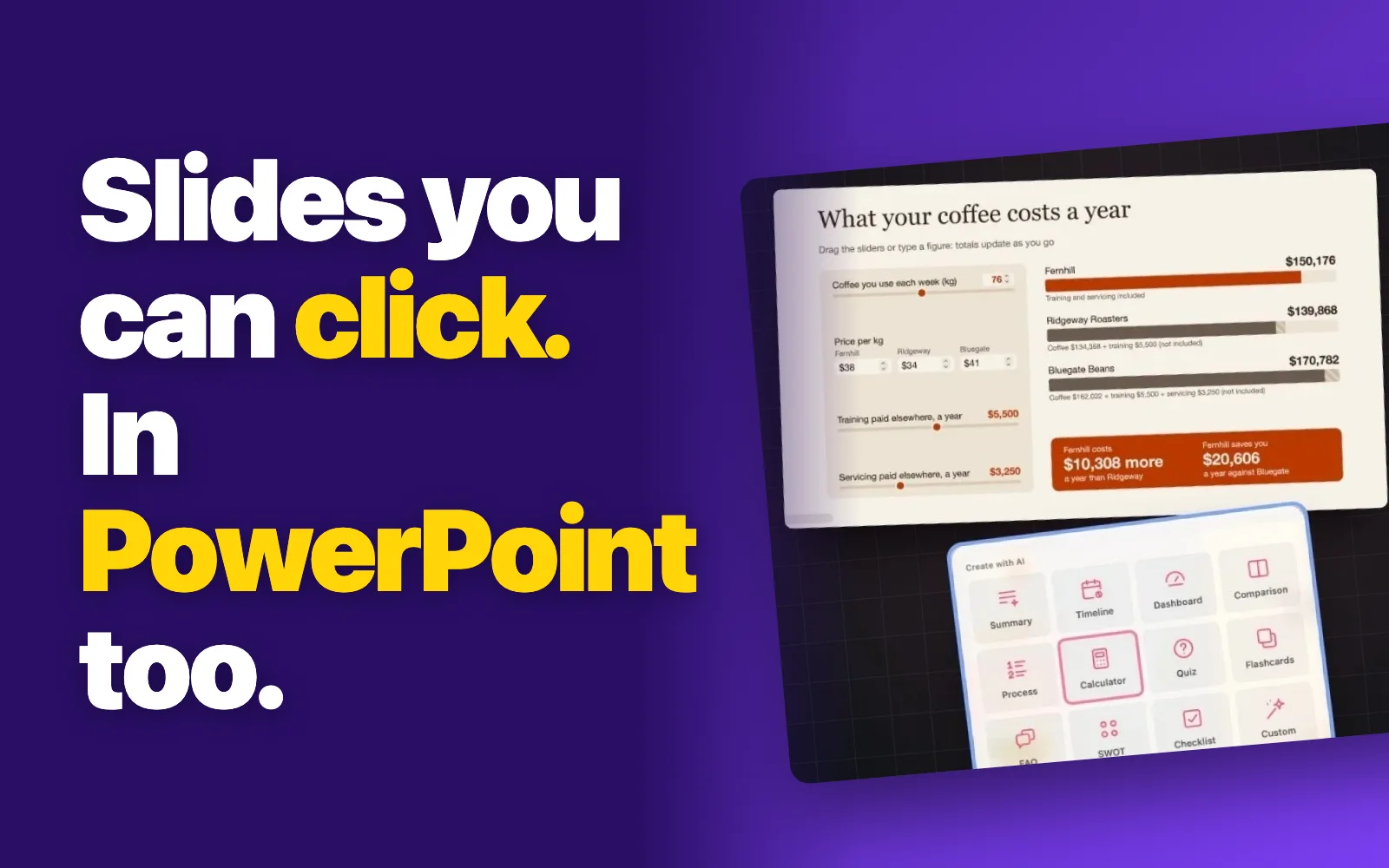
An interactive slide is a slide your audience can use. Drag a slider and the totals change. Pick a region and the chart follows. Answer a question and see whether you were right. Microsoft added interactive slides to PowerPoint in October 2026, and Mobeera Office makes and plays the same kind of slide.
What is an interactive slide?
It is one slide that holds a small live page: a dashboard with filters, a calculator, a timeline to explore or a quiz. During the slide show you click, type and drag inside it. Everywhere a slide cannot be live, such as a thumbnail, a printout or a PDF, it shows as a picture of the same content.
How does it compare with PowerPoint's interactive slides?
| Mobeera Office | PowerPoint | |
|---|---|---|
| Who can create one | Anyone using AI Chat with their own AI | People with PowerPoint for Microsoft 365 and Copilot |
| Which AI builds it | The one you choose: Anthropic, OpenAI, OpenRouter or an OpenAI-compatible server | Copilot |
| Create on | Mac, iPhone and iPad | Windows, Mac and the web |
| Kinds in the gallery | Summary, Timeline, Dashboard, Comparison, Process, Calculator, Quiz, Flashcards, FAQ, SWOT, Checklist and Custom | Summary, Timeline, Dashboard, Comparison and Custom |
| File format | .pptx | .pptx |
| In print and PDF | A picture of the slide | A picture of the slide |
In PowerPoint, interactive slides are a Copilot feature of Microsoft 365. Microsoft's support article lists PowerPoint for Microsoft 365 on Windows, Mac and the web for creating them, and says a slide plays interactively there and on iPad, and shows as a picture on iPhone and Android.
Are the two compatible?
Yes, in both directions.
- From PowerPoint to Mobeera Office. Open a
.pptxthat contains an interactive slide made with Copilot. It plays in the Mobeera Office slide show, and you can ask your AI to change it. - From Mobeera Office to PowerPoint. An Interactive Slide is stored in the
.pptxthe same way PowerPoint stores its own, so it stays interactive when the deck is opened in PowerPoint for Microsoft 365. A copy of PowerPoint without the feature shows the picture of the slide instead, so nothing goes missing.
Other office suites do not have this kind of slide. If a presentation with an interactive slide has to work for people on PowerPoint as well as for you, Mobeera Office and PowerPoint are the two apps that play it.
How do I make one?
- Open your presentation in Mobeera Office and select the slide the new one should follow.
- Choose Insert → Interactive Slide.
- Pick a kind from the gallery. AI Chat reads your deck and builds the slide from its content.
- Start the slide show and try it.
To change it, ask in AI Chat: "Add a filter for the year", "Use our brand colors", or "Make the quiz five questions". An interactive slide is changed by asking, not by dragging things on the slide, and that is the same in PowerPoint.
AI Chat uses your own API key. On a Mac you can also ask a connected AI app, such as Claude or ChatGPT, to add an interactive slide to a deck. See how Mobeera Office works with your AI.
What can I make?
- Summary: the key points of the deck, each opening for detail.
- Timeline: dates, phases or steps to explore.
- Dashboard: key figures as cards, with charts to filter.
- Comparison: options side by side, with the differences brought out.
- Process: one step at a time, with Back and Next.
- Calculator: inputs you change while the results update.
- Quiz: questions that mark each answer and keep a score.
- Flashcards: terms on cards that turn over.
- FAQ: the questions an audience would ask, each opening to its answer.
- SWOT: four quadrants that open for detail.
- Checklist: next steps to tick off as you present.
- Custom: describe the slide you want.
What are the limits?
- You cannot edit the content by hand on the slide. Ask your AI for the change.
- The page runs closed off from the internet, so it cannot load live data or open links.
- In a PDF, in print and in thumbnails it is a picture.
- Check the figures. The AI builds the slide from your deck, and it can get a number wrong.
Common questions
Do I need Microsoft 365 or Copilot?
Not to make or play an interactive slide in Mobeera Office. You need an AI of your own for AI Chat. To play the slide interactively in PowerPoint, the person opening it needs PowerPoint for Microsoft 365.
Will my audience see it if they only have an older PowerPoint?
They see a picture of the slide where the interactive one would be.
Can I present it from an iPhone or iPad?
Yes. Interactive Slides play in the slide show on Mac, iPhone and iPad.
Is my deck sent to the AI?
The content AI Chat reads to build the slide goes to the AI provider you chose, under that provider's terms.