Church bulletins after Publisher: keep your template and keep printing
For church offices that made the Sunday bulletin in Microsoft Publisher: open your existing .pub template, update it each week, and print it as a folded booklet.
Direct answer
What can a church use to make its bulletin now that Microsoft Publisher is retired?
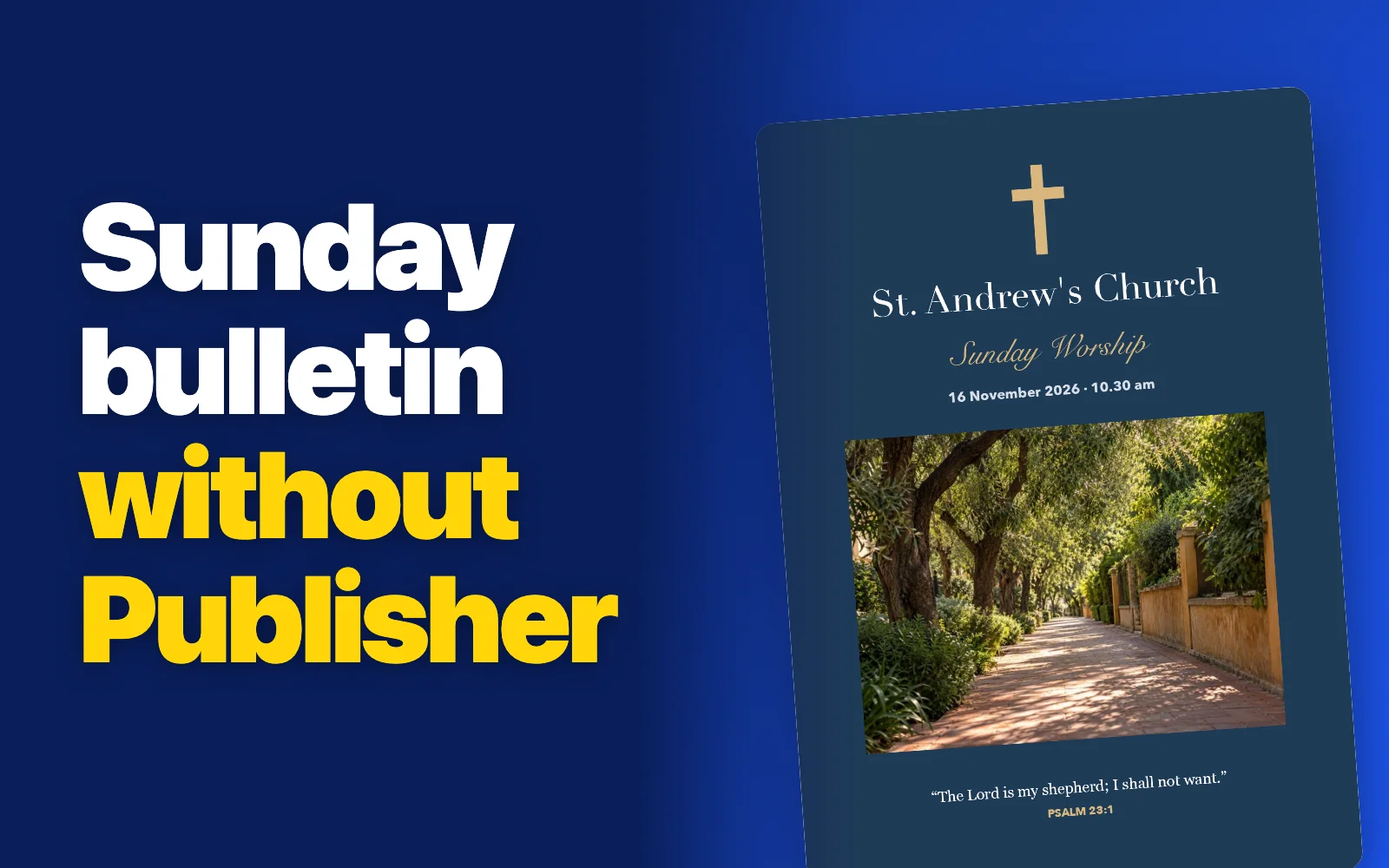
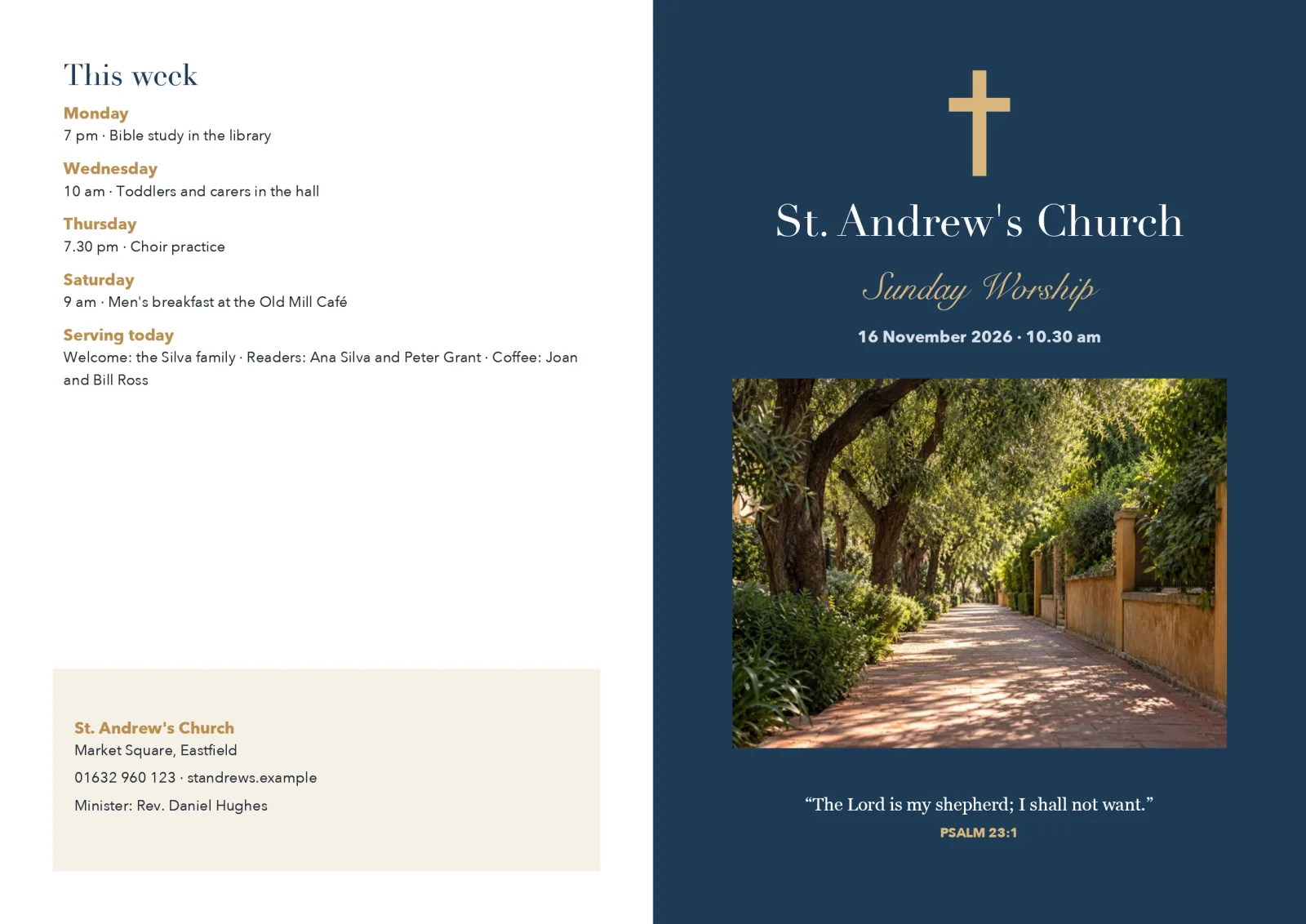
Use a page-layout app that opens your existing Publisher bulletin, so nobody has to rebuild it. Mobeera Office opens .pub files on Mac, Windows, iPhone, iPad and Android, keeps text boxes and master pages editable, and prints a folded booklet on both sides of the sheet. It also has ten church starter designs, including a Sunday Bulletin, a newsletter and a welcome brochure, and it is bought once.
For years the Sunday bulletin lived in one Publisher file on the church office computer. Someone opened last week's copy, changed the hymns, readings and notices, and printed it. Microsoft retired Publisher in October 2026, and the bulletin still has to be ready by Sunday.
This guide is for the administrator or volunteer who does that job.
Do we have to rebuild our bulletin from scratch?
No. Your bulletin template is a .pub file, and it can be opened in another app. Mobeera Office opens Publisher files on Mac, Windows, iPhone, iPad and Android and keeps the text boxes, pictures, tables and master pages editable. The original file is never changed, so nothing is lost by trying.
How do we move the weekly bulletin over?
Do this once, on a quiet weekday and not on Saturday night.
- Open the template. In Finder, right-click the
.pubfile, choose Open With and pick Mobeera Office. It opens as a new publication. - Check it against last Sunday's printed copy. Open Review → Design Checker. It lists missing fonts and text that no longer fits its box. A Windows font that your Mac does not have is the usual cause; install it or choose a replacement.
- Check the repeating parts. View → Master Page shows the church name, service times and anything else that sits on every page.
- Save it as your new master copy. Name it clearly, for example
Bulletin template. - Print one test copy and fold it.
Each week after that: duplicate the template, replace the order of service and notices, run Design Checker and print.
How do we print a folded bulletin?
Choose File → Print… and set:
- Pages per sheet to Booklet, side-fold. The pages are arranged so they read in order once the sheets are folded.
- Sides to Print on Both Sides (flip sheets on short edge). If your printer cannot do that, choose Manual 2-Sided Print and feed the paper again when asked.
For a single-sheet bulletin that is not folded, leave One page per sheet.
What if we want a fresh design?
The Publish template gallery has a Churches category with ten starter designs:
- Sunday Bulletin
- Church Newsletter
- Church Welcome Brochure
- Visitor Welcome Postcard
- Easter Services Poster
- Carols by Candlelight Flyer
- Vacation Bible School Flyer
- Baptism Invitation
- Celebration of Life Program
- Christmas Card
Each comes in US Letter and A4 sizes.
What about the newsletter, mailings and labels?
- Newsletter. Long articles flow from one text box to the next with Create Link on the Text Box Format tab, as they did in Publisher.
- Letters to members. The Mailings tab has Select Recipients, Address Block, Greeting Line and Finish & Merge.
- Labels and envelopes. Start from a label sheet or an envelope size in the template gallery, or use Page Design → Label Sheet….
- For the website or email. Export as PDF… makes a copy anyone can open, and Export Pages as Pictures… makes PNG or JPEG images.
Can we update it from a phone, or let AI draft it?
Yes to both, which Publisher never offered.
- From a phone or tablet. The Publish editor runs on iPhone, iPad and Android as well as Mac and Windows. A last-minute change no longer waits for whoever has the office computer.
- With your AI. On a Mac, connect an AI app such as Claude or ChatGPT and ask for the flyer or newsletter you need; it starts from a design, fills in your text and leaves a publication you can edit. AI Chat inside the editor works on Mac, iPhone and iPad with your own API key. See how to connect your AI app.
What does it cost?
Mobeera Office is free to download, and opening a publication to read it is free. Editing, printing and PDF export need lifetime access, which is a one-time purchase.
Can more than one person work on the bulletin?
Yes. Each person needs Mobeera Office on their own Mac, Windows PC, iPhone, iPad or Android device. Share the publication file the way you shared the Publisher file: a shared folder, iCloud Drive or email.
Common questions
Our office computer runs Windows. What can we do?
Install Mobeera Office from the Microsoft Store. It runs on Windows and opens your .pub files there too. An installed one-time copy of Publisher also still runs without support, and LibreOffice Draw opens files from Publisher 98 to 2010.
Should we keep the old .pub files?
Yes. Keep them, and make a PDF of past bulletins you want to archive. See how to convert .pub files to PDF.
Can we use Word?
For a simple one-page notice sheet, yes. Word cannot open your .pub file, and a folded bulletin with boxes placed around the page is hard to keep steady in Word.