Nonprofit newsletters and flyers after Publisher: a low-cost plan
For charities, clubs and community groups that relied on Microsoft Publisher: keep your .pub newsletters and flyers, print donor mailings, and avoid a new monthly bill.
Direct answer
What should a nonprofit use for newsletters and flyers now that Microsoft Publisher is retired?
Pick a tool volunteers can learn in an afternoon, that opens the Publisher files you already have, and that does not add a monthly bill. Mobeera Office opens .pub files on Mac, Windows, iPhone, iPad and Android, works the way Publisher did, handles mail merge for donor letters and labels, and is a one-time purchase. LibreOffice Draw is a free option for opening older Publisher files as drawings.
Small organizations ran on Publisher because it came with Office and volunteers already knew it. The quarterly newsletter, the fundraiser flyer and the address labels for the annual appeal were all .pub files. Microsoft retired Publisher in October 2026. This is a plan for moving on without losing that work or taking on a new running cost.
What does a small organization need from a replacement?
- It opens the files you have. Years of newsletters and a template nobody wants to rebuild.
- A volunteer can use it. Whoever takes over next year should not need design training.
- It prints properly. Folded newsletters, both sides, and files a print shop accepts.
- It handles mailings. Donor letters and address labels from a list.
- The cost is predictable. Preferably paid once.
Which options fit?
| Option | Opens your .pub files | Volunteer-friendly | Cost |
|---|---|---|---|
| Mobeera Office | Yes | Yes, works like Publisher | Free to read; one-time purchase to edit |
| LibreOffice Draw | Publisher 98 to 2010, as drawings | Partly | Free |
| Canva | No | Yes | Free plan and subscription |
| Word | No | Yes, for simple pages | Microsoft 365 or one-time Office |
How do we keep the newsletter going?
Mobeera Office opens .pub files on Mac, Windows, iPhone, iPad and Android and keeps them editable.
- Open the newsletter template. On a Mac, right-click the
.pubfile and choose Open With. - Run Review → Design Checker to find missing fonts and text that does not fit.
- Save the result as your new template. The original
.pubis not changed. - For each issue, duplicate the template and replace the articles and photos. Long articles continue from one text box to the next, and Text Box Format → Continued adds the "continued on page" line.
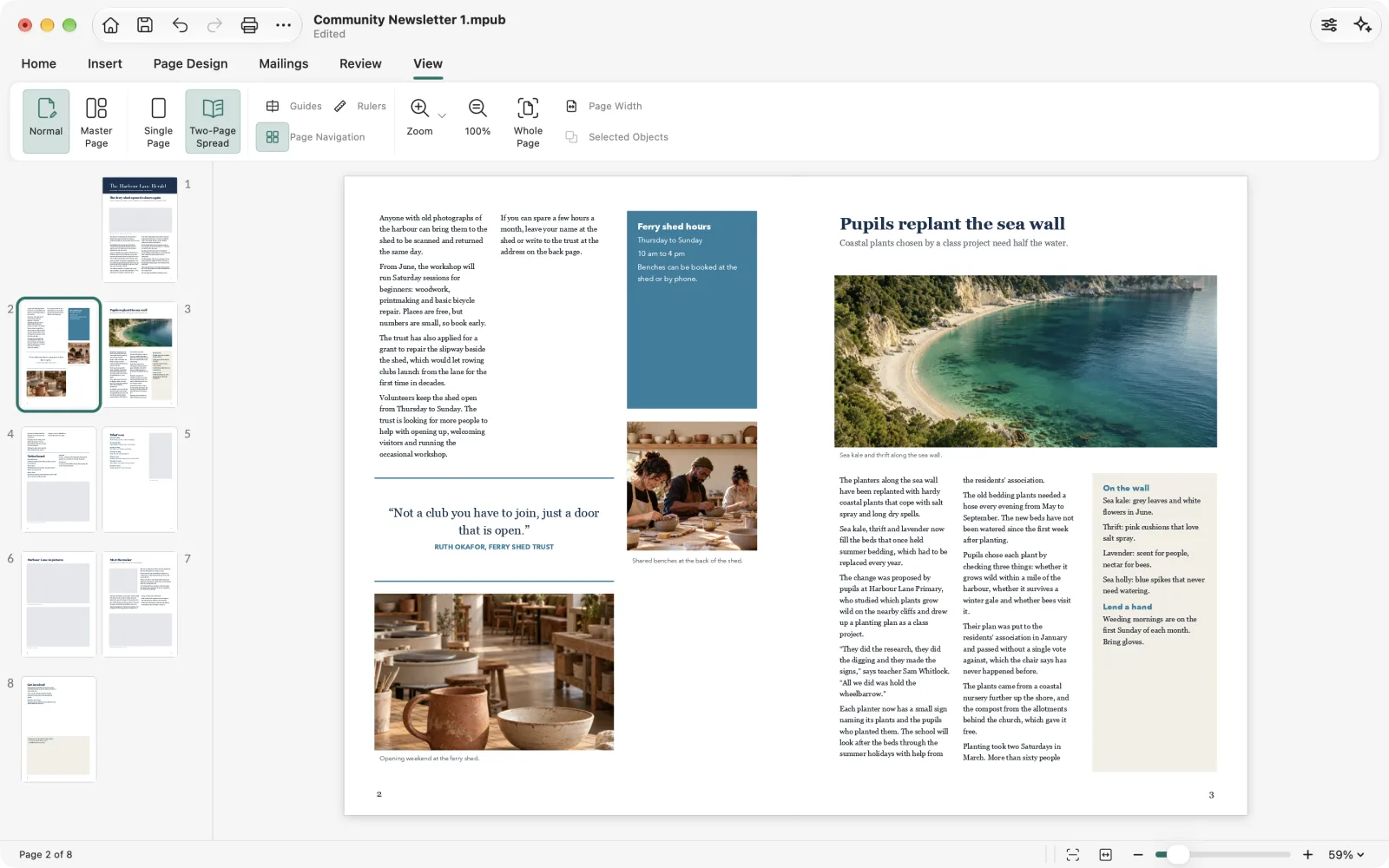
If you would like a new look, the template gallery includes a Community Newsletter, flyers, posters, brochures, postcards and invitations.
How do we send the annual appeal?
The Mailings tab does the work Publisher's mail merge did.
- Choose Select Recipients and pick your list, or type a new one.
- Add Address Block and Greeting Line, or single fields with Insert Merge Field.
- Check a few with Preview Results.
- Choose Finish & Merge to print the letters or make one PDF.
For address labels, start from a label sheet in the template gallery and merge the same list. The merge runs on your device, so the donor list stays with you.
How do we print on a budget?
- In the office: File → Print…, with Booklet, side-fold and both sides for a folded newsletter.
- At a print shop: Export as PDF… with the Commercial Press preset adds the bleed and crop marks printers ask for.
- Online only: Minimum Size makes a small PDF for email, and Export Pages as Pictures… makes images for social media.
Can we update it from a phone, or let AI draft it?
Yes to both, which Publisher never offered.
- From a phone or tablet. The Publish editor runs on iPhone, iPad and Android as well as Mac and Windows. A last-minute change no longer waits for whoever has the office computer.
- With your AI. On a Mac, connect an AI app such as Claude or ChatGPT and ask for the flyer or newsletter you need; it starts from a design, fills in your text and leaves a publication you can edit. AI Chat inside the editor works on Mac, iPhone and iPad with your own API key. See how to connect your AI app.
What does it cost?
Reading publications is free. Editing, printing and PDF export need lifetime access, bought once. The same purchase covers the Docs, Sheets, Slides and PDF editors, which matters if you are also deciding what to do about the rest of Office.
If the budget is zero, LibreOffice Draw opens Publisher 98 to 2010 files as drawings, and Canva's free plan is fine for new flyers that do not depend on old files.
Common questions
Our volunteers use different computers. Is that a problem?
Each volunteer needs an app that reads the same file. Mobeera Office publications open on any Mac, Windows PC, iPhone, iPad or Android device with the app. For people who only need to read or print, send a PDF.
Should we convert everything to PDF?
Convert the back catalog, yes. Keep the .pub files as well. See how to convert .pub files to PDF.
Can we keep using an old copy of Publisher?
An installed one-time version still runs, without security updates, and it may not install on the next computer. It is a stopgap.