How to convert PowerPoint to PDF on iPhone, iPad and Mac
Turn a PPTX presentation into a PDF on iPhone, iPad or Mac without PowerPoint: full slides, notes pages or handouts with several slides per page.
Direct answer
How do I convert a PowerPoint presentation to PDF on an iPhone, iPad or Mac?
Open the presentation in an app that reads PPTX and export a PDF. In Mobeera Office on Mac, choose File, then Export as PDF. On iPhone and iPad, tap the More options button, choose Document, then Export as PDF. Choose Slides for one slide per page, Notes Pages to include speaker notes, or Handouts for two to nine slides per page. Keynote can also open the deck and export a PDF.
A PDF of your slides opens on any device, prints cleanly and cannot be changed by accident. It is the safe thing to send after a talk, to upload to a course page, or to carry as a backup. A PDF drops animations, transitions and video, so keep the .pptx as well.
Convert on a Mac
- Open the presentation in Mobeera Office. Right-click the
.pptxin Finder and choose Open With, or use Open File… on the app's Home screen. - Click through the slides once and check fonts and pictures.
- Choose File → Export as PDF….
- Under Publish what, choose Slides, Notes Pages or Handouts.
- Click Export… and choose where to save.
To convert a deck without opening it, right-click the file in Finder, open Services (it may be under Quick Actions) and choose Convert to PDF with Mobeera Office. Pick the folder for the PDF and click Convert Here. The original file is not changed.
Convert on iPhone and iPad
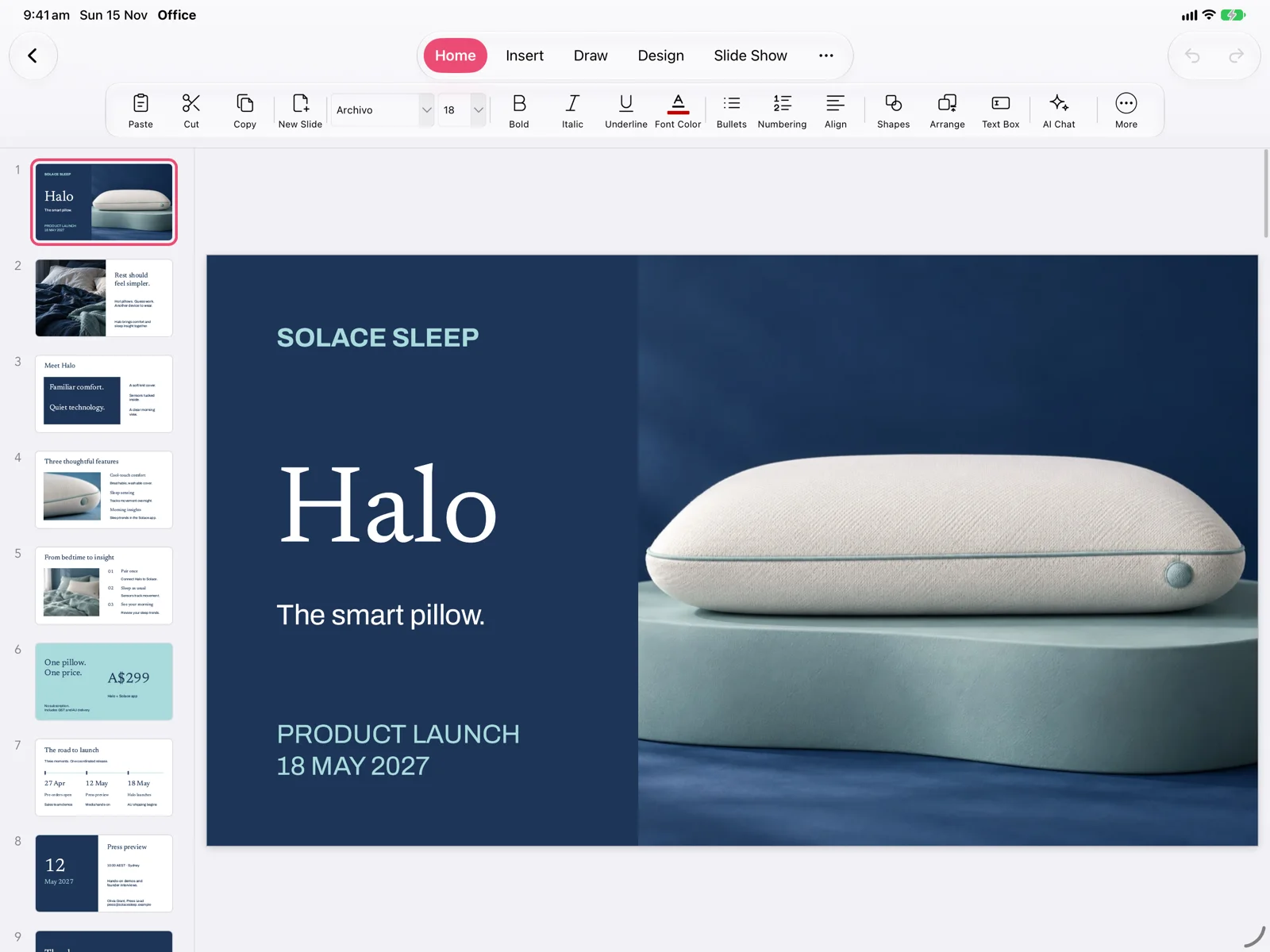
- Open Mobeera Office (named Office on the Home Screen), tap Open and choose the presentation.
- Tap the … button (More options).
- Choose Document, then Export as PDF….
- Choose what to publish and which slides, then export and save or share the PDF.
Slides, notes pages or handouts?
| Choose | Each PDF page has | Use it for |
|---|---|---|
| Slides | One full slide | Sending the deck, a backup to present from |
| Notes Pages | One slide with its speaker notes below | Your own script, a deck that must explain itself |
| Handouts | 1, 2, 3, 4, 6 or 9 slides | Printing for a class or meeting |
Other options in the dialog:
- Slides per page sets the handout layout. Three per page leaves room to write beside each slide.
- Frame slides draws a thin border around each slide, which helps light slides on white paper.
- Range: all slides, the current slide, or from one slide number to another.
- Include hidden slides adds slides you hid from the show.
To save single slides as images instead, use Export Slides as Pictures… in the same menu.
What is free
Mobeera Office is free to download, and Export as PDF is free for a deck of up to two slides. Longer decks need a yearly plan or lifetime access.
Without installing anything
Keynote opens a PowerPoint file and exports a PDF: on a Mac, File → Export To → PDF; on iPhone and iPad, Share → Export and Send → PDF. Keynote converts the deck first and tells you what it changed, so check slides with unusual fonts, charts or grouped shapes. Apple's conversion guide has the details.
If you also work with PDFs, PDF Max has a PowerPoint → PDF tool under Tools, as part of Premium.
Check the PDF before you send it
- Count the pages against the slide count. Hidden slides are left out unless you included them.
- Look at slides that build in steps. A PDF shows the final state of each slide, so anything that disappears during an animation may cover what comes after it.
- Zoom in on small text and charts.
- Look at the file size. A deck full of photos makes a large PDF; see how to compress a PDF if it is too big to email.
Common questions
Do animations and video work in the PDF?
No. Each slide becomes a still page. Present from the .pptx when motion matters, and send the PDF for reading.
Can I present from the PDF?
Yes. Open it full screen and move page by page. It is a dependable fallback when the room's computer has no presentation app.
Can I convert an older .ppt file?
Mobeera Office opens .pptx, .ppsx and .potx, not the older .ppt. Open a .ppt in Keynote and export from there, or ask for a .pptx.