Can Canva, Affinity, InDesign, LibreOffice or Word open .pub files?
A straight yes or no for each app people try with Publisher files: Canva, Affinity, InDesign, LibreOffice, Word, Pages and Mobeera Office, with what each keeps.
Direct answer
Which apps can open a Microsoft Publisher .pub file?
Canva, Word, PowerPoint, Pages and InDesign cannot open .pub files. LibreOffice Draw can open files from Publisher 98 to 2010, as drawings. Affinity says it imports .pub, with possible layout shifts. Mobeera Office opens .pub files on Mac, Windows, iPhone, iPad and Android as editable page layouts. None of them saves back to .pub; only Publisher wrote that format.
Most apps cannot open a Publisher file, including several that people expect to. Here is the answer for each app, so you do not have to install them one by one to find out.
Which apps open .pub files?
| App | Opens .pub? | What you get |
|---|---|---|
| Mobeera Office | Yes | An editable page layout on Mac, Windows, iPhone, iPad and Android |
| LibreOffice Draw | Yes, Publisher 98 to 2010 | An editable drawing |
| Affinity | Yes | A design document; layout may shift |
| Canva | No | Rebuild it, or upload a PDF |
| Microsoft Word | No | Open a PDF of it instead |
| Microsoft PowerPoint | No | Nothing |
| Apple Pages | No | Nothing |
| Adobe InDesign | No | Place a PDF, or rebuild it |
Can Canva open a .pub file?
No. Canva's list of upload formats does not include .pub. The usual workaround is to make a PDF of the publication and upload that; Canva turns PDF pages into designs you can edit, with varying accuracy. See how to convert a .pub file to PDF.
Canva is a good place to make new posters and social graphics. It is not a way to keep working on existing Publisher files.
Can Affinity open a .pub file?
Yes. Affinity says it imports .pub files directly. It also says the layout may shift and tables may come in as text, and it does not save back to .pub.
Affinity is a professional design app. If a designer is taking over your publications, it is a sound choice. If the person updating the bulletin is a volunteer, expect a learning curve.
Can InDesign open a .pub file?
No. InDesign has no Publisher import. Designers either place a PDF of the publication as a picture or rebuild the layout.
Can LibreOffice open a .pub file?
Yes, for older files. LibreOffice Draw lists an import filter for Microsoft Publisher 98 to 2010. The publication opens as a drawing that you can edit and export as PDF.
It is free and runs on Windows, Mac and Linux. Draw is not a page-layout program, so text that flowed between linked boxes, mail merge and booklet printing do not behave as they did in Publisher.
Can Word open a .pub file?
No. Word and Publisher came in the same Office box but never shared a format. Microsoft's advice is to make a PDF and open the PDF in Word, which rebuilds it as a document with some layout changes. See how to turn a .pub file into a Word document.
Can Pages or PowerPoint open a .pub file?
No. Neither reads the Publisher format.
Can Mobeera Office open a .pub file?
Yes. The Publish editor in Mobeera Office opens .pub files on Mac, Windows, iPhone, iPad and Android. It keeps pages, formatted text boxes, linked text boxes, tables, pictures, shapes, master pages and embedded fonts, and tells you after opening if something could not be carried over exactly.
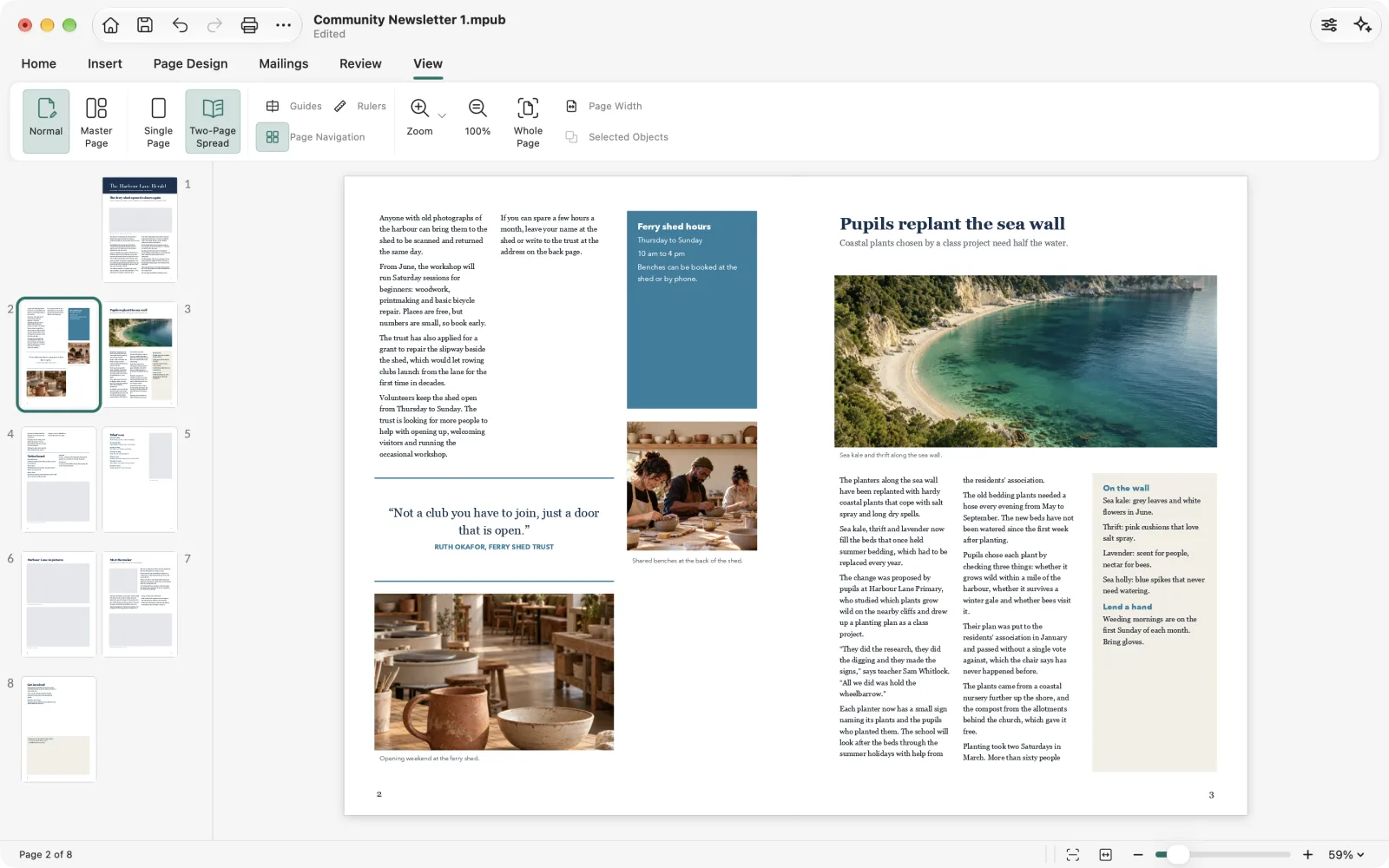
The publication is saved as .mpub, and the original file is not changed. Reading is free; editing, printing and PDF export need lifetime access. The importer is tested with files saved by Publisher 98, 2000, 2003, 2007 and 2010.
Can any app save a .pub file?
No. Only Publisher wrote .pub. Whichever app you move to, your work continues in that app's format, with PDF as the copy you share.
Common questions
What is the easiest way to see what is in a .pub file?
Open it in an app with a free reading mode, such as Mobeera Office or LibreOffice Draw.
I use Windows. What are my choices?
Mobeera Office, LibreOffice Draw and Affinity run on Windows. A one-time copy of Publisher that is already installed also still runs, without support.
Which app keeps linked text boxes?
Mobeera Office keeps them linked, in story order. In apps that open the file as a drawing, each box usually becomes separate text.