How to open a .docx file without Microsoft Word
Five ways to open a DOCX file without Word on Mac, Windows, iPhone, iPad or Android: which only show it, which edit it, and which hand back a real Word file.
Direct answer
How do I open a .docx file if I do not have Microsoft Word?
A .docx file is a Word document, and many apps open it. To read it, use Quick Look on a Mac or the Files app on iPhone and iPad. To edit it and send back a Word file, open it in an office app that works with DOCX directly, such as Mobeera Office on Mac, Windows, iPhone, iPad and Android, or LibreOffice on a computer. Apple Pages and Google Docs also open it, by converting it to their own format first.
A .docx file is a Word document, and you do not need Word to open it. The format is an open standard that many apps read. What differs is what you can do next: only look, or edit and hand back a file the sender can open in Word.
Which way should I use?
| You want to | Use | Result |
|---|---|---|
| Read it once | Quick Look on Mac, Files on iPhone and iPad, Gmail or Drive preview | A preview, nothing to install |
| Edit and return a Word file | Mobeera Office, LibreOffice Writer | The same .docx, edited |
| Edit in an app you already have | Apple Pages, Google Docs | A converted copy; export to Word afterwards |
| Use Word itself, free | Word for the web | Needs a Microsoft account and a connection |
Just read it
- Mac: select the file in Finder and press the Space bar. Quick Look shows the document without opening an app.
- iPhone and iPad: tap the file in the Files app or in Mail. It opens in a preview.
- Android: tap the attachment in Gmail, or open it from Google Drive, for a preview.
- Windows: WordPad was removed from Windows 11, so a new PC has no built-in app for
.docx. Use one of the editors below, or upload the file to OneDrive and view it in the browser.
Previews are fine for reading. They can show fonts and page breaks differently from Word, and they do not show tracked changes reliably.
Edit it and send back a Word file
Mobeera Office opens .docx directly, without converting it, on Mac, Windows, iPhone, iPad and Android.
- Mac: double-click the file if Mobeera Office is your default app for Word documents, or right-click it and choose Open With. In the app, Open File… is on the Home screen.
- Windows: open Mobeera Office and choose Open File… on the Home screen, or press Ctrl+O.
- iPhone and iPad: open the app (named Office on the Home Screen) and tap Open.
- Android: tap the file and choose Mobeera Office, or tap Open on the app's Home tab.
Styles, tables, headers and footers, comments and tracked changes stay in the document, and saving writes a .docx again. Older .doc files, .rtf and .odt open as a new .docx.
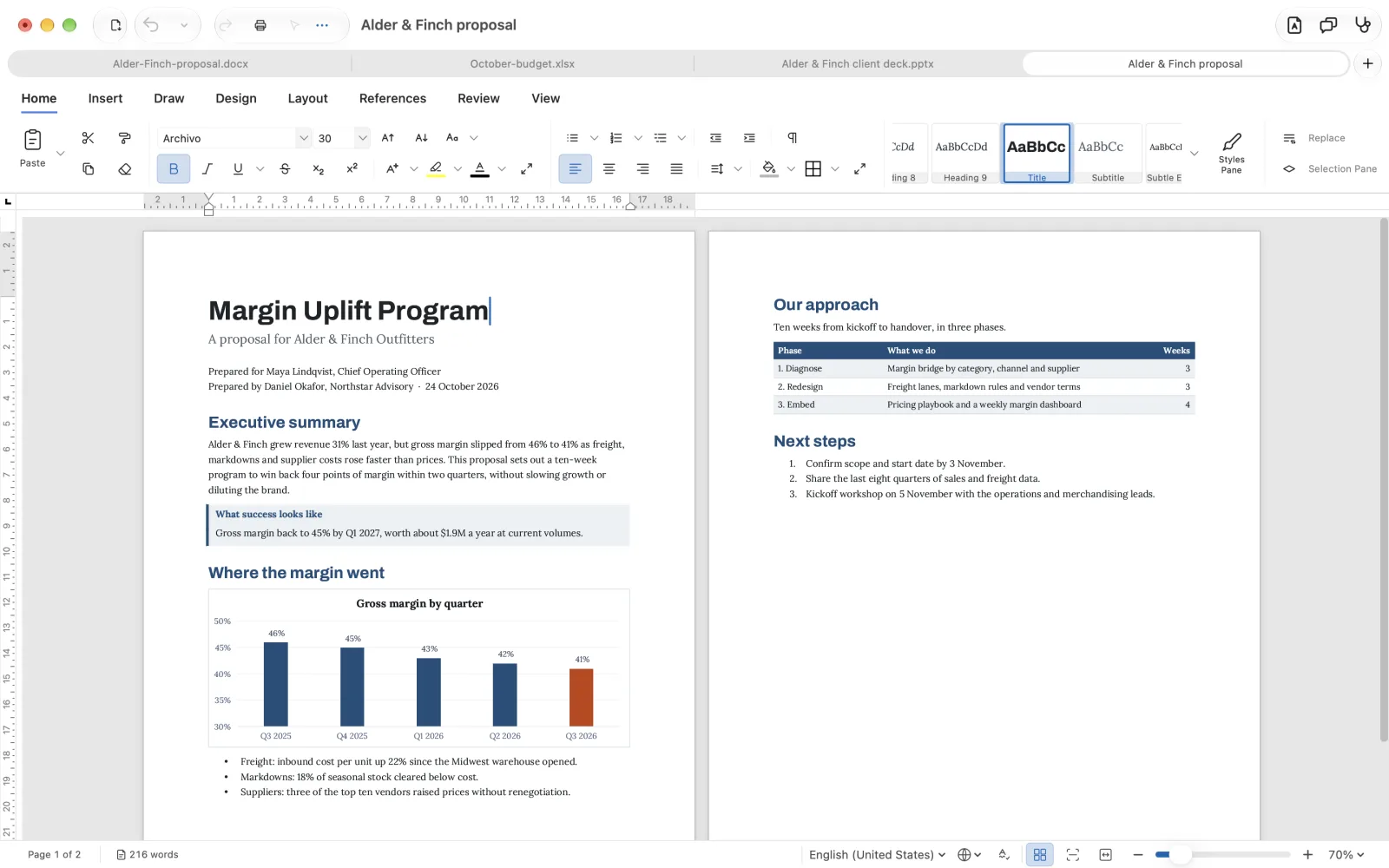
Mobeera Office is free to download. On the free plan you can read the whole document and edit its first two pages. A yearly plan or lifetime access removes the limit.
LibreOffice Writer is free on Mac, Windows and Linux and also opens and saves .docx. When you save, choose the Word format, not the default .odt.
Open it in Pages or Google Docs
Both are free and both convert the document.
- Apple Pages (Mac, iPhone, iPad) opens a
.docxas a Pages document. To return it, export a Word copy; Apple describes the steps in its conversion guide. - Google Docs opens an uploaded
.docxin the browser. Use File → Download → Microsoft Word to get a Word file back.
Conversion is where layout drifts: fonts are replaced, tables shift and tracked changes can be flattened. For a simple letter it does not matter. For a contract with tracked changes, use an app that edits the Word file itself.
Common questions
Why does the document look different from the sender's?
Usually fonts. If the document uses a font your device does not have, another font is substituted and lines break in new places. Ask for a PDF beside the Word file when the exact layout matters.
Can I open a .docx on a phone?
Yes. See the guides for iPhone, iPad and Android.
Is a .docx the same as a .doc?
No. .doc is the older Word format from before 2007. Most apps that open .docx open .doc too, and save the result as .docx.
Can I turn it into a PDF?
Yes. See how to convert a Word document to PDF.