How to open a .pub file on Windows without Microsoft Publisher
Publisher is retired and Microsoft 365 no longer includes it. Here is how to open a .pub file on a Windows 10 or 11 PC, edit it, print it and save a PDF.
Direct answer
How do I open a .pub file on Windows now that Microsoft Publisher is retired?
Use an app that reads Publisher files. Install Mobeera Office from the Microsoft Store, click Open File on its Home screen and pick the .pub file. It opens as an editable publication with its text boxes, pictures and pages, and the original file is not changed. To share it, open the Review tab and choose Export PDF or Print. LibreOffice Draw is a free option for files made in Publisher 98 to 2010. Word, Edge and Microsoft 365 for the web cannot open .pub files.
Publisher was a Windows program, so most .pub files are on Windows PCs. Microsoft retired it in October 2026. Microsoft 365 no longer includes it, and a new PC cannot install it. The newsletters, flyers and labels you made are still on your disk, and you can still open them.
Why won't my PC open a .pub file?
Nothing that comes with Windows reads the Publisher format. Word cannot open it, Edge cannot show it, and there was never a Publisher for the web. You need an app that reads .pub.
| Way | What you get | Good for |
|---|---|---|
| Mobeera Office | An editable publication with linked text boxes, master pages and mail merge | Publications you still update |
| LibreOffice Draw | An editable drawing, for files from Publisher 98 to 2010 | A free look at an older file |
| An old copy of Publisher 2021 or earlier | The file as it was | A PC that already has it installed |
A one-time version of Publisher that is already installed still runs, without security updates. It is a stopgap: you may not be able to install it on your next PC.
How do I open a .pub file on Windows?
- Install Mobeera Office from the Microsoft Store. It is free to download and runs on Windows 10 and Windows 11 on a 64-bit Intel or AMD PC.
- Start Mobeera Office. On the Home screen, click Open File…, or press Ctrl+O.
- Pick the
.pubfile.
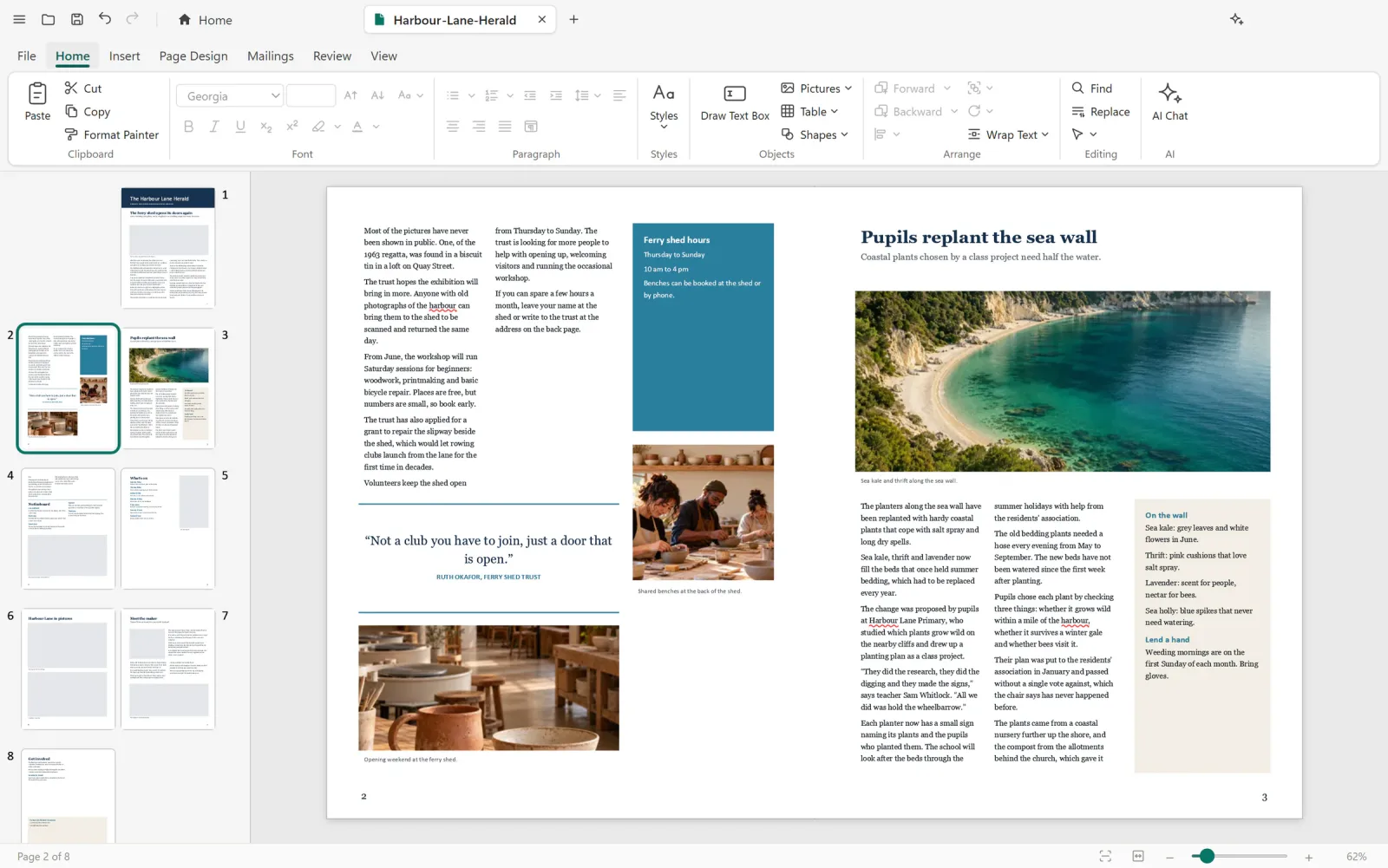
The file opens in the Publish editor as a new publication, with its text boxes, linked stories, tables, pictures and master pages. If something could not be carried over exactly, a notice at the top of the window says so.
The .pub file you opened is not changed. When you save, Mobeera Office asks where to keep the publication and stores it in its own .mpub format.
Check what arrived
Open the Review tab and click Design Checker. It lists missing fonts, text that no longer fits its box and other problems, so you can fix them before printing. A font that is not on this PC is replaced, which can move text; install the font if you have it.
Can I edit it?
Yes. The tabs are Home, Insert, Page Design, Mailings, Review and View, and a Text Box tab appears when you select a text box.
On the free plan a publication opens for reading. Editing needs a yearly plan or lifetime access, bought in the Microsoft Store.
Save with Ctrl+S. Changes go into the .mpub publication. No app writes .pub files now that Publisher is retired.
How do I print it or make a PDF?
Both are on the Review tab.
- Export PDF makes a copy anyone can open. Presets run from Minimum Size to Commercial Press.
- Print offers one page per sheet, several per sheet, Booklet, side-fold, folded cards and tiled posters, and printing on both sides.
- Export as Pictures saves pages as images for a website or social post.
Common questions
Does Microsoft 365 still open .pub files?
No. Publisher was removed from Microsoft 365 in October 2026, and Word, Excel and PowerPoint do not read the format.
Can I open a .pub file for free on Windows?
Yes. Mobeera Office opens publications for reading on the free plan. LibreOffice Draw is free and opens files from Publisher 98 to 2010 as drawings.
Can I convert a .pub file to PDF or Word?
Yes to PDF: open it and choose Review → Export PDF. For Word, see how to convert a .pub file to Word.
Does opening the file change the original?
No. The .pub file is read and left as it was.
I have hundreds of .pub files. What should I do?
Keep them all. Convert the ones people only need to read to PDF, and open the ones you still update as publications. See Microsoft Publisher is retired: what happens to your .pub files.